

Office & WFH
The Best Monitor Privacy Screens: 4 Compared (and One to Skip)
Four current monitor and laptop privacy filters compared on viewing angle, brightness cost, attachment method and how well sizing actually works.
The short version
All four filters here narrow the viewing cone to roughly 30 degrees each side, so the privacy is broadly comparable and the real differences are brightness cost and how the thing attaches. The 3M Bright Screen Privacy Filter is our pick because it dims the screen least, keeps colours neutral, and stays thin, though its adhesive and tab mounting is meant to be permanent. The Kensington MagPro Magnetic Privacy Screen is the runner-up and the smarter buy if you take the filter off often, since the magnetic frame makes that a two second job. The Targus 4Vu Privacy Screen is the value option for a fixed desk and has the widest size range, including curved ultrawide cuts. The Belkin ScreenForce TruePrivacy Screen Protector is well made but fits only a handful of MacBooks and charges a premium for the weakest mounting method. Best for: pick 3M for image quality, Kensington for a filter you will actually keep using, and Targus if it just needs to fit an awkward panel and stay put.
Our picks at a glance
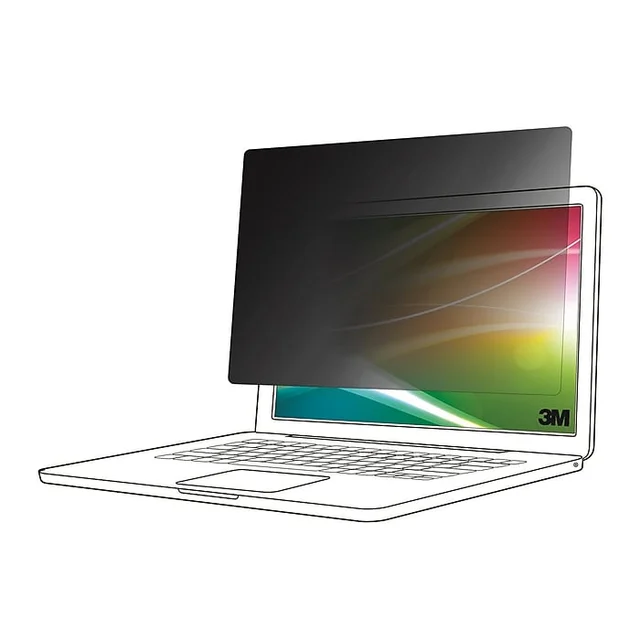
- 3M Bright Screen Privacy Filter - Buy. A brighter louver filter, with the same 30 degree cutoff and far less of the murk.
- Kensington MagPro Magnetic Privacy Screen - Buy. A magnetic frame turns the filter into something you actually take off, which is why it stays in use.
- Targus 4Vu Privacy Screen - It depends. The value pick with the widest size coverage, as long as the filter is going on once and staying there.
- Belkin ScreenForce TruePrivacy Screen Protector - Skip. Well made, but it fits a short list of MacBooks and charges a premium for the weakest mounting method here.
The verdict in 30 seconds
What mattered most
- Viewing angle cutoff
- Brightness cost
- Attachment method
- Ease of removal
- Size and device coverage
- Finish options
Most privacy filters narrow your screen's viewing cone to roughly 30 degrees each side, and every one of them costs you brightness and a little colour accuracy to do it. That tradeoff, plus how the filter attaches, is what separates these products. We compared four filters that are current and buyable in 2026: two we would recommend without hesitation, one that depends entirely on whether you take it off regularly, and one we would skip.
A brighter louver filter, with the same 30 degree cutoff and far less of the murk.
Best for: Anyone who leaves a filter on permanently and refuses to give up screen brightness to get privacy, especially on laptop panels that were not bright to begin with.
- Keeps the standard 30 degree each-side cutoff while 3M markets it as brighter than its standard black filters
- Reversible glossy and matte faces in a thin, low-profile panel
- 3M says it reduces blue light without visibly warming the display's colour balance
- COMPLY adhesive strips and slide-mount tabs give a secure, low-profile fit
- Premium price tier, and you only get the benefit if you notice the brightness difference
- Attachment is designed to be installed once, so it is awkward to remove and refit daily
- Check that the Bright Screen range includes your exact monitor size and aspect ratio
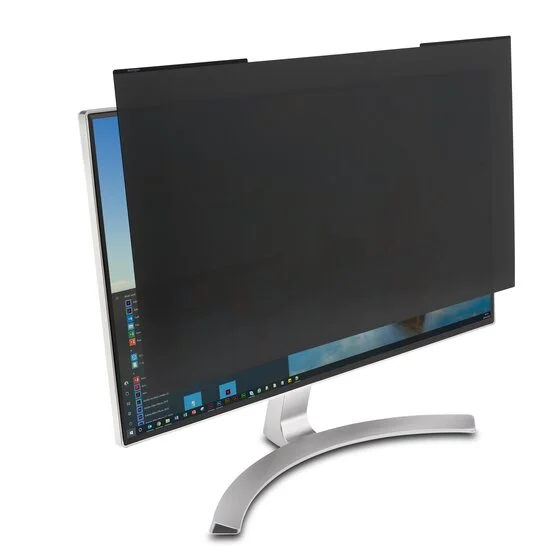
A magnetic frame turns the filter into something you actually take off, which is why it stays in use.
Best for: Office workers who share their screen, hot desk, or know they will stop using a filter that is fiddly to remove.
- Magnetic strip frame lets the filter snap on and lift off in seconds with no residue
- Published viewing angle of plus or minus 30 degrees, so the privacy claim is verifiable
- Reversible matte and glossy faces, and it doubles as scratch protection for the panel
- Ships with a cleaning cloth and a protective storage sleeve
- Covers common monitor sizes across 16:9, 16:10 and 21:9 plus laptop sizes
- Blue light reduction rated up to 52 percent, which warms the picture more than the 3M filter does
- The bezel-mounted magnetic frame leaves a visible thin border, most noticeable on edge to edge panels
- Individual size codes are rotated in and out, so confirm your exact size is still stocked
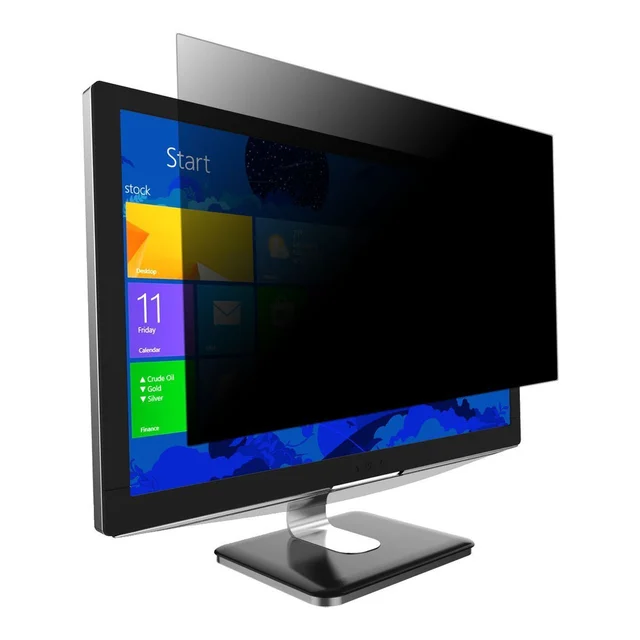
The value pick with the widest size coverage, as long as the filter is going on once and staying there.
Best for: A fixed desk monitor where the filter lives permanently, and anyone with an unusual panel size or a curved ultrawide that other brands do not cut for.
- Constrains the viewing angle to 30 degrees from either side, matching the pricier options
- Widest size range here, including cuts made specifically for 34 inch curved ultrawides
- Glossy and matte faces, plus an antimicrobial additive built into the screen
- Reusable silicone adhesive strips hold securely and can be repositioned
- Adhesive strip mounting makes this a fit-and-forget install rather than a daily on and off
- Blue light reduction near 40 percent means a noticeably warmer image than an untinted panel
- No storage solution in the box, so a removed filter has nowhere clean to go
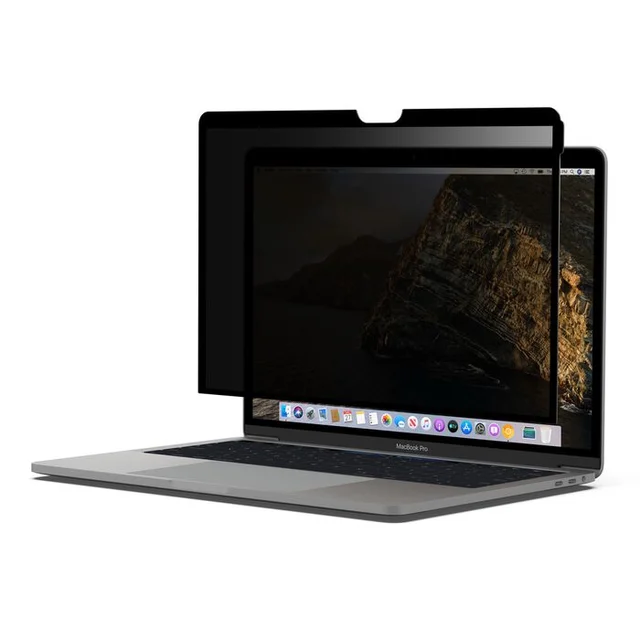
Well made, but it fits a short list of MacBooks and charges a premium for the weakest mounting method here.
Best for: Owners of a supported MacBook who already have one and like it. As a new purchase there are better options at the same money.
- Same plus or minus 30 degree cutoff as the rest of the field, with an anti-glare finish
- Cling mounting is removable, washable and reusable, and the MacBook can still enter sleep mode normally
- Includes a backing panel to store the film flat when it is not on the screen
- Fits only a short list of MacBook models, so it is not an option for most laptop owners
- Premium price tier for the same viewing angle cutoff cheaper filters deliver
- Cling mounting shows every speck of trapped dust and needs periodic washing and re-seating
- The storage panel is one more object to keep track of, which a magnetic frame removes entirely
| Criteria | 3M Bright Screen Privacy Filter Top pick | Kensington MagPro Magnetic Privacy Screen | Targus 4Vu Privacy Screen | Belkin ScreenForce TruePrivacy Screen Protector |
|---|---|---|---|---|
| Verdict | Buy it | Buy it | It depends | Skip it |
| Best for | Anyone who leaves a filter on permanently and refuses to give up screen brightness to get privacy, especially on laptop panels that were not bright to begin with. | Office workers who share their screen, hot desk, or know they will stop using a filter that is fiddly to remove. | A fixed desk monitor where the filter lives permanently, and anyone with an unusual panel size or a curved ultrawide that other brands do not cut for. | Owners of a supported MacBook who already have one and like it. As a new purchase there are better options at the same money. |
| Price tier | $$ · premium | $ · mid-range | $ · mid-range | $$ · premium |
| Viewing angle cutoff | 60 degrees total, 30 degrees each side | Plus or minus 30 degrees | 30 degrees from either side | Plus or minus 30 degrees |
| Brightness cost | Lowest here, a brighter construction than 3M's standard black filters | Moderate, with a warmer cast from heavier blue light filtering | Moderate, with a modest claimed brightness edge over rivals | Moderate, with an anti-glare finish that softens contrast |
| Attachment method | COMPLY adhesive strips and slide-mount tabs | Magnetic strip frame on the bezel | Reusable silicone adhesive strips | Cling film with a storage backing panel |
| Ease of removal | Poor, designed to stay installed | Excellent, snaps off in seconds | Poor, repositionable but not a daily removal | Fair, lifts off but needs re-seating and washing |
| Size and device coverage | Laptop and monitor sizes, check your exact cut | Monitors in 16:9, 16:10 and 21:9 plus laptop sizes | Widest range here, including curved 34 inch cuts | A short list of MacBook models only |
| Finish options | Reversible glossy and matte | Reversible matte and glossy | Glossy and matte faces | Anti-glare only |
| Extras in the box | Mounting hardware only | Cleaning cloth and protective storage sleeve | Mounting strips and a cleaning cloth | Storage backing panel |
| Price tier | $$ · premium | $ · mid-range | $ · mid-range | $$ · premium |
Which one is right for you?
- Anyone who leaves a filter on permanently and refuses to give up screen brightness to get privacy, especially on laptop panels that were not bright to begin with. Buy it 3M Bright Screen Privacy Filter
- Office workers who share their screen, hot desk, or know they will stop using a filter that is fiddly to remove. Buy it Kensington MagPro Magnetic Privacy Screen
- A fixed desk monitor where the filter lives permanently, and anyone with an unusual panel size or a curved ultrawide that other brands do not cut for. It depends Targus 4Vu Privacy Screen
- Owners of a supported MacBook who already have one and like it. As a new purchase there are better options at the same money. Skip it Belkin ScreenForce TruePrivacy Screen Protector
How we judged the field
Nobody can lab-test every size of every privacy filter, so we did the next best thing: we read the manufacturers’ own published specifications, cross-checked them against independent testing and long-run owner reports, and weighted the things people actually complain about after a month of use.
Four criteria did most of the sorting. First, the viewing angle cutoff. Almost every serious filter in this category narrows the usable cone to roughly 30 degrees each side, which is the spec that decides whether a seatmate on a plane or a colleague at the next desk can read your screen. Anything vaguer than a stated degree figure is a warning sign.
Second, the brightness and colour cost. This is the tradeoff buyers are rarely told about. A louver filter works by physically blocking off-axis light, and it cannot do that without eating some of the light heading straight at you too. Owners consistently report turning display brightness up after fitting one, and several products add a blue light layer on top, which warms the picture further.
Third, the attachment method. Adhesive strips, slide-in tabs and magnetic frames are not interchangeable choices. They decide whether the filter is a permanent fixture or something you pop off in two seconds when a colleague needs to see your screen.
Fourth, sizing. Filters are cut to the panel’s actual viewable area, not the advertised diagonal, and aspect ratio matters as much as inches. A 24 inch 16:9 filter will not fit a 24 inch 16:10 panel. Measure the visible glass before you order anything.
3M is one of the longest-established makers of louver privacy filters, and the Bright Screen line is the company’s answer to the single biggest complaint about its own older filters: they made screens look dim and murky.
3M positions the Bright Screen filter as keeping the same 30 degree each-side cutoff as its standard black filters while letting more light through the front. In practice that means you are less likely to crank display brightness to compensate, which matters for laptop battery life and for eye comfort in a dim room.
It is a thin, low-profile panel, and it is reversible between a glossy face and a glare reducing matte face. 3M reports that it reduces blue light without pushing the display’s colour balance visibly warm, which is a real differentiator against filters that lean on a heavy blue light layer.
The catch is mounting. It ships with 3M’s COMPLY attachment system of adhesive strips and slide-mount tabs. That is a secure, low-profile fit designed to be left in place, not a filter you take on and off daily. Check that your exact size and aspect ratio is offered in the Bright Screen line before you commit.
If the 3M filter is the brightness pick, the MagPro is the convenience pick, and for a lot of people convenience is the thing that determines whether the filter stays on the machine at all.
The MagPro uses a thin magnetic strip frame that adheres to the bezel once. After that the filter itself snaps on and lifts off in a couple of seconds with no adhesive residue, no tabs to line up and no fiddling. That single design decision solves the most common reason privacy filters end up in a drawer: you needed to show a colleague a diagram, you peeled the filter off, and reattaching it was annoying enough that you never bothered.
Kensington publishes the important spec plainly, limiting the viewing angle to plus or minus 30 degrees, and the panel is reversible between matte and glossy. It doubles as scratch protection for the display, and it ships with a cleaning cloth and a protective storage sleeve, which sounds trivial until you have a bare filter sliding around a laptop bag.
Two things to weigh. Kensington rates it as reducing blue light by up to 52 percent, which is a heavier blue light load than the 3M filter carries, and owners describe a slightly warmer picture as a result. And because the magnetic frame sits on the bezel, you get a visible thin border around the display, which is more noticeable on genuinely edge to edge panels than on monitors with a conventional bezel. The line covers common monitor sizes across 16:9, 16:10 and 21:9, plus laptop sizes, though individual size codes come and go, so confirm the exact size code is still stocked.
The 4Vu is the pragmatic middle of this category, and whether it is the right buy comes down entirely to how you work.
The specs are competitive. Targus constrains the viewing angle to 30 degrees from either side, offers glossy and matte faces, includes an antimicrobial additive built into the screen, and claims to be over 12 percent brighter than competing privacy screens. Size coverage is the widest here by some margin, running from small monitors up to 34 inch curved ultrawides, which is genuinely useful because most brands simply do not make a curved-compatible cut. Targus also reports reducing blue light by close to 40 percent, so expect a slightly warmer image than an untinted panel.
Mounting is via reusable silicone adhesive strips. They hold well and can be repositioned, but this is still a fit-and-forget installation rather than a daily on and off. That is the whole verdict in one line: if the filter lives permanently on a fixed desk monitor, the 4Vu does everything the pricier options do for less money. If you need to remove it several times a week, or you hot desk, the magnetic option will serve you far better and you will actually keep using it.
One more note for curved monitor owners: buy the cut that is explicitly listed as curved-compatible. A flat filter on a curved panel will not sit flush, and the gaps at the edges leak exactly the light you were trying to block.
Belkin’s TruePrivacy is a nicely made object with a narrow reason to exist, and for most buyers that combination does not add up.
It is a cling-mounted privacy film, not an adhesive or magnetic filter. It delivers the same plus or minus 30 degree cutoff as everything else in this roundup, adds an anti-glare finish, is washable and reusable, and stores on a supplied backing panel when you are not using it. The MacBook can still enter sleep mode normally, which is a real design consideration that cheaper films get wrong.
The problem is what you pay and what you get for it. This sits at a premium price tier while fitting a short list of MacBook models, so it is not even an option for most laptop owners, and MacBook owners can get the same viewing angle cutoff from a magnetic filter that mounts more securely and costs less. Cling mounting is also the weakest of the three attachment methods in daily use: dust under the film shows immediately, and the film needs periodic washing and re-seating to stay clear. The storage panel is a thoughtful touch, but it is a second object to keep track of, which is precisely the friction a magnetic frame removes.
If you own one of the supported MacBooks, already have this, and like it, there is no reason to replace it. As a fresh purchase in 2026 it is the weakest value here.
3M Bright Screen Privacy Filter vs Kensington MagPro Magnetic Privacy Screen: which should you buy?
These two are close, and the deciding question is not which is better but how often you take the filter off.
Buy the 3M Bright Screen if the filter is going to live on the machine and image quality is your priority. It gives up the least brightness of anything here, its colour handling is the most neutral, and its thin panel is physically unobtrusive. The COMPLY mounting is designed to be installed once and forgotten, which is exactly right for a personal laptop or a dedicated work monitor. You pay a premium for it, and you should only pay that premium if you will notice the brightness difference, which you will most on a laptop panel that was not especially bright to begin with.
Buy the Kensington MagPro if you share your screen regularly, hot desk, or simply know yourself well enough to predict that a fiddly filter will end up unused. The magnetic frame is the single best usability feature in this category. You trade a little brightness and a slightly warmer picture for a filter you can remove in two seconds, and for most office workers that trade is worth making. The bundled storage sleeve is a small thing that turns out to matter.
If you want one sentence: the 3M is the better filter, the Kensington is the better product to live with.
What to look for
- A stated viewing angle. Look for an explicit figure, typically 30 degrees each side or 60 degrees total. Products that advertise privacy without publishing a cutoff angle are usually anti-glare films with a privacy claim attached.
- Measure the viewable area, not the diagonal on the box. Filters are cut to the visible glass. Measure the panel’s width and height, and confirm the aspect ratio, because 16:9 and 16:10 filters of the same nominal inch size are different products.
- Decide your attachment method first. Magnetic frames come off in seconds and suit shared screens and hot desking. Adhesive strips and slide-in tabs are more secure and lower profile but are effectively permanent. Cling films are the least secure of the three.
- Accept the brightness cost, then minimise it. Every louver filter dims the screen. The premium brighter constructions genuinely reduce that penalty, so if you work in a dim room or on a laptop with a modest panel, spend the extra there rather than on features.
- Treat heavy blue light reduction as a tradeoff, not a bonus. A filter advertising a large blue light reduction percentage is adding tint on top of the louvers, which compounds the dimming and warms your colours. That is fine if you want it and a nuisance if you do colour-sensitive work.
- Check the finish is reversible. Matte kills reflections under overhead lighting, glossy keeps contrast punchier. Being able to flip the same panel means you do not have to guess right at purchase.
- Curved monitors need curved-rated filters. A flat cut will bow away from the panel edges and leak the side views you were trying to block.
- Look at what is in the box. A cleaning cloth and a storage sleeve sound like padding until you need to take the filter off and have nowhere clean to put it.
Our final take
Privacy filters are one of the few accessory categories where the specifications tell you almost everything, provided you know which specifications matter. The viewing angle cutoff is close to standardised at roughly 30 degrees each side, so the real differences come down to how much light and colour accuracy the filter costs you, and how easily it comes off when you need to share your screen.
The 3M Bright Screen Privacy Filter wins on the first count and is the pick if you want the least compromised picture. The Kensington MagPro Magnetic Privacy Screen wins on the second and is the pick if the filter needs to come off regularly, which for most office workers it does. The Targus 4Vu Privacy Screen is the sensible choice for a fixed desk where the filter goes on once and stays there, and it is the most likely to have a cut that fits an unusual panel. The Belkin ScreenForce TruePrivacy Screen Protector is well made but too narrow in fit and too expensive for what it does.
Whichever you choose, measure the viewable area before you order, and expect to nudge your display brightness up afterwards. That is the price of admission for every product in this category, and the good ones simply charge less of it.
Questions, answered
How much brightness does a privacy filter actually cost me?
Enough to notice. A louver filter blocks off-axis light physically, and it cannot do that without absorbing some of the light aimed straight at you. Owners routinely report raising display brightness a step or two after fitting one. The premium brighter constructions reduce the penalty rather than eliminate it: 3M markets its Bright Screen filter as brighter than its standard black filter at the same cutoff. If you work in a dim room or on a laptop with a modest panel, that difference is where your money is best spent.
What viewing angle do I need to block the person sitting next to me?
Roughly 30 degrees each side, which is what nearly every serious filter in this category publishes, is enough to black out the screen for someone in an adjacent airline seat or at the next desk. Someone directly behind you is a different problem and no side-blocking filter solves it. If a product advertises privacy without stating a cutoff angle in degrees, treat it as an anti-glare film with a marketing claim attached rather than a genuine privacy filter.
How do I get the size right?
Measure the panel's actual viewable area, not the diagonal printed on the monitor's box. Filters are cut to the visible glass, so measure width and height with a tape and confirm the aspect ratio too. A 24 inch 16:9 filter and a 24 inch 16:10 filter are different products and will not substitute for each other. Many brands publish exact millimetre dimensions per size code, and matching those is more reliable than matching the inch figure.
Adhesive strips, slide-in tabs or magnetic: which should I choose?
Decide by how often the filter comes off. Magnetic frames adhere once to the bezel and then let the panel snap on and off in seconds, which suits shared screens and hot desking. Adhesive strips and slide-in tabs sit lower and hold more securely but are effectively a permanent installation. Cling films are the least secure and show trapped dust. The most common reason a filter ends up unused is that removing it was annoying, so be realistic about your own habits.
Do privacy filters that also cut blue light give me a better deal?
Not necessarily. A large advertised blue light reduction figure means the filter is adding tint on top of its louver layer, which compounds the dimming and pushes the picture warmer. The Kensington filter is rated up to 52 percent blue light reduction and the Targus around 40 percent, and owners describe the resulting colour shift accordingly. That is fine if you want a warmer screen and a nuisance if you do any colour-sensitive work. This is general product information rather than health advice, and the evidence for blue light filtering as an eye health intervention is not settled.
Deciding between the top two? See our head-to-head: 3M Bright Screen Privacy Filter vs Kensington MagPro Magnetic Privacy Screen.
More Office & WFH reviews
 The Best Monitor Stands and Risers: 4 Compared (and One to Skip)
  The Best Notebooks: 4 Compared (and One to Skip)
  The Best Office Chair Casters: 4 Compared (and One to Skip)
  The Best Home Office Desks: 4 Compared (and One to Skip)
  The Best Office Headsets for Calls & Video Meetings: 4 Compared (and One to Skip)
  The Best Office Storage Carts: 4 Compared (and One to Skip)