

Tech & Gadgets
The Best microSD Cards: 4 Compared (and One to Skip)
We compared four current microSD cards on real-world speed, sustained 4K write, app responsiveness, endurance, and value.
The short version
For most people the Samsung PRO Plus is the microSD card to buy: it has top-end rated UHS-I speeds, carries V30 and A2 ratings for 4K video and app use, and comes with a long warranty. The SanDisk Extreme is nearly as capable and is stocked almost everywhere, so it's the runner-up and the easiest genuine card to find. The Lexar Professional 1066x is a legitimately fast, cheaper-per-gigabyte option that makes sense if price matters more than a big support network. The Kingston Canvas Select Plus is reliable and inexpensive but only A1-rated with modest write speeds, so it's fine for basic storage yet the wrong choice for demanding video or app workloads. Best for: buy the Samsung PRO Plus if you want one card that handles a phone, camera, drone, or action cam without compromise.
Our picks at a glance
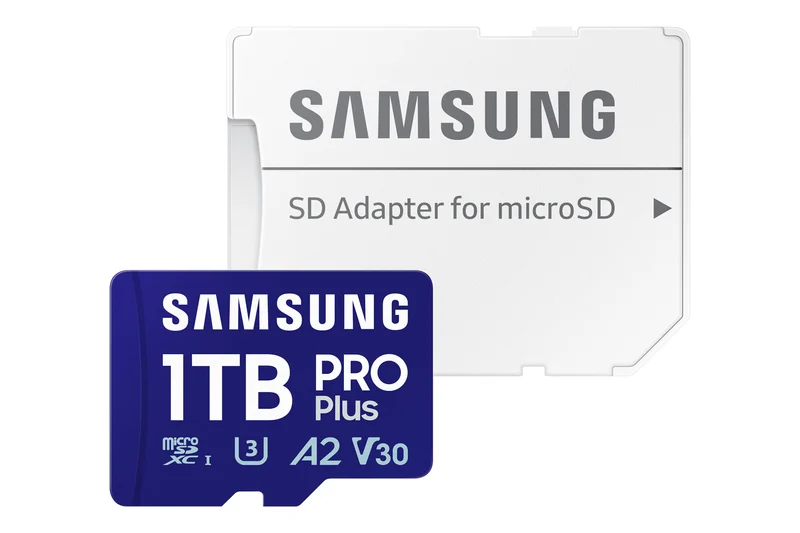
- Samsung PRO Plus microSDXC (UHS-I, V30, A2) - Buy. The most well-rounded UHS-I card, pairing top-tier real-world speed with strong endurance and a long warranty.
- SanDisk Extreme microSDXC (UHS-I, V30, A2) - Buy. The safe, everywhere-available workhorse that nails the essentials at a fair price.
- Lexar Professional 1066x microSDXC SILVER (UHS-I, V30, A2) - It depends. A fast, value-priced V30/A2 card that competes on price-per-gigabyte if you accept a smaller support footprint.
- Kingston Canvas Select Plus microSD (UHS-I, A1) - Skip. A cheap, reliable card for basic storage that falls short for serious video or app-heavy workloads.
The verdict in 30 seconds
What mattered most
- Rated read speed (UHS-I)
- Sustained 4K write
- App / random I/O rating
- Video speed class
- Availability & anti-counterfeit confidence
- Warranty & brand support
A microSD card looks like a commodity, but the gap between a great one and a cheap one shows up the moment you record 4K, burst-shoot RAW, or run apps from expanded phone storage. We synthesized independent lab testing and long-run owner reports across four widely sold 2026 cards from SanDisk, Samsung, Lexar, and Kingston. Two are easy recommendations, one is a solid pick only for the right buyer, and one is fine for basic use but the wrong card for demanding work.
The most well-rounded UHS-I card, pairing top-tier real-world speed with strong endurance and a long warranty.
Best for: Anyone who wants one dependable card for a phone, action cam, drone, or mirrorless body without overthinking it.
- High rated UHS-I read and write speeds, with V30 sustained write for 4K
- A2-rated random performance keeps apps and file operations snappy from phone or tablet storage
- Samsung makes its own NAND and backs the card with a notably long limited warranty
- Advertised peak read leans on a fast reader; in-camera speeds are lower
- Priced above bargain cards of the same capacity
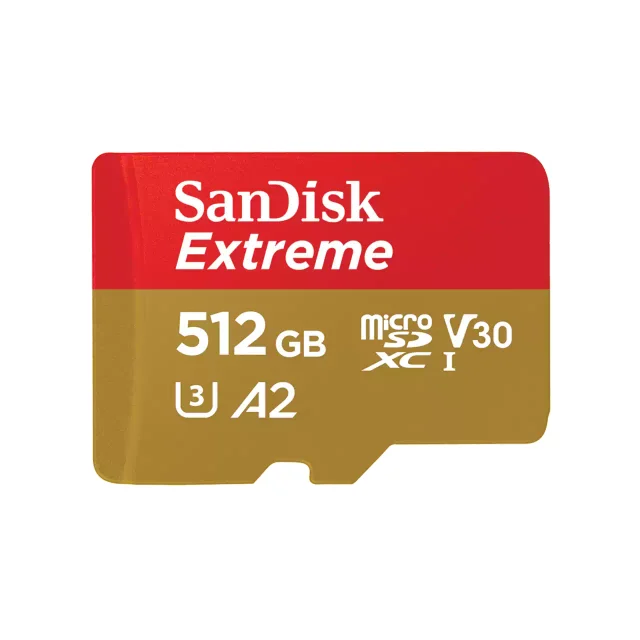
The safe, everywhere-available workhorse that nails the essentials at a fair price.
Best for: Shooters and DIYers who want a proven, no-drama card that any store carries.
- V30 and A2 ratings cover 4K recording and app-heavy use, with high rated read speeds
- Extremely widely stocked, so genuine cards are easy to source and returns are painless
- Rugged environmental ratings and long warranty coverage reported by owners
- Headline read speed requires SanDisk's own reader; typical readers see less
- Counterfeits circulate through third-party sellers, so buy from reputable channels
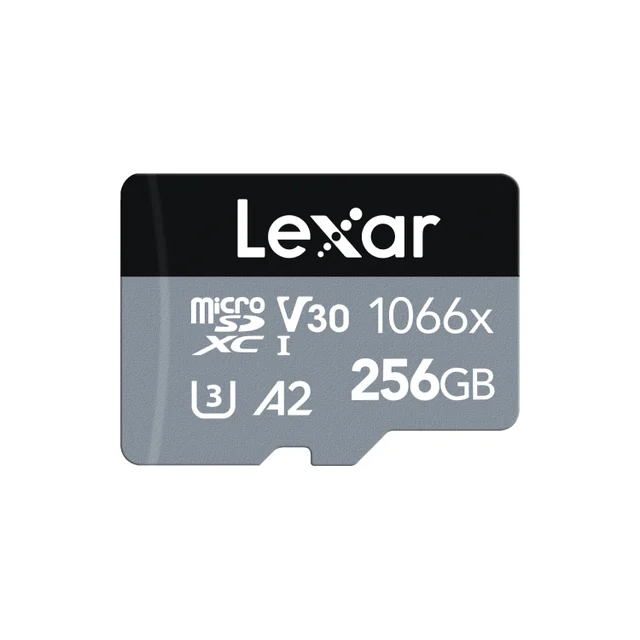
A fast, value-priced V30/A2 card that competes on price-per-gigabyte if you accept a smaller support footprint.
Best for: Bargain hunters and multi-card buyers who prioritize price and are comfortable with a smaller retail/support presence.
- Strong rated read speed and V30/A2 ratings suitable for 4K and action-cam use
- Frequently one of the cheapest fast cards per gigabyte
- Often bundled with an adapter and, in some kits, a card reader
- Peak read speed depends on Lexar's own reader; other readers cap lower
- Brand support and stock are less ubiquitous than SanDisk or Samsung, and sustained write trails the leaders in some testing
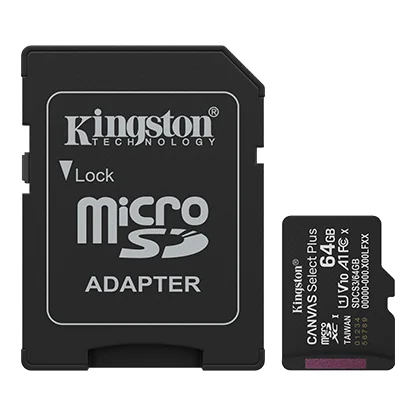
A cheap, reliable card for basic storage that falls short for serious video or app-heavy workloads.
Best for: A budget card for a phone, dashcam, or media library where raw speed is not the point.
- Inexpensive and dependable for photos, music, and general file storage
- Backed by a limited warranty and sold in a range of capacities
- Only A1-rated random performance, so apps and small-file work feel slower than A2 rivals
- Modest write speeds and lower video speed class on smaller capacities make it a poor match for sustained 4K or burst shooting
| Criteria | Samsung PRO Plus microSDXC (UHS-I, V30, A2) Top pick Buy it Buy | SanDisk Extreme microSDXC (UHS-I, V30, A2) Buy it Buy | Lexar Professional 1066x microSDXC SILVER (UHS-I, V30, A2) It depends Buy | Kingston Canvas Select Plus microSD (UHS-I, A1) Skip it Buy |
|---|---|---|---|---|
| Best for | Anyone who wants one dependable card for a phone, action cam, drone, or mirrorless body without overthinking it. | Shooters and DIYers who want a proven, no-drama card that any store carries. | Bargain hunters and multi-card buyers who prioritize price and are comfortable with a smaller retail/support presence. | A budget card for a phone, dashcam, or media library where raw speed is not the point. |
| Price tier | $$ · mid-range | $$ · mid-range | $ · budget | $ · budget |
| Rated read speed (UHS-I) | Very high (rated, varies by capacity) | Very high (rated, varies by capacity) | High (rated, varies by capacity) | Moderate (varies by capacity) |
| Sustained 4K write | Strong | Strong | Good | Weakest of the four |
| App / random I/O rating | A2 | A2 | A2 | A1 (slower) |
| Video speed class | V30 | V30 | V30 | Lower class on some sizes (check the label) |
| Availability & anti-counterfeit confidence | Very good | Excellent (most widely stocked) | Good | Very good |
| Warranty & brand support | Long limited warranty, first-party NAND | Long warranty, huge support footprint | Long warranty, smaller footprint | Long warranty, budget line |
| Max capacity | Large capacities offered (check the maker page) | Large capacities offered (check the maker page) | Large capacities offered (check the maker page) | Large capacities offered (check the maker page) |
| Price tier | $$ · mid-range | $$ · mid-range | $ · budget | $ · budget |
Which one is right for you?
- Anyone who wants one dependable card for a phone, action cam, drone, or mirrorless body without overthinking it. Buy it Samsung PRO Plus microSDXC (UHS-I, V30, A2)
- Shooters and DIYers who want a proven, no-drama card that any store carries. Buy it SanDisk Extreme microSDXC (UHS-I, V30, A2)
- Bargain hunters and multi-card buyers who prioritize price and are comfortable with a smaller retail/support presence. It depends Lexar Professional 1066x microSDXC SILVER (UHS-I, V30, A2)
- A budget card for a phone, dashcam, or media library where raw speed is not the point. Skip it Kingston Canvas Select Plus microSD (UHS-I, A1)
How we judged the field
We don’t run our own lab. Instead we synthesize independent bench testing and a large body of owner reports to separate marketing numbers from lived experience. For microSD cards, four things decide whether a card is worth buying: real-world read and write speed in an actual device (not just the number printed on the card), sustained write performance for 4K and burst capture, random read/write responsiveness for app use (the A1 versus A2 distinction), and long-term reliability including warranty and how easy it is to buy a genuine card rather than a counterfeit. We weighted proven consistency and brand support heavily, because a memory card’s whole job is to not lose your data.
Samsung PRO Plus microSDXC (UHS-I, V30, A2)
Buy itThe PRO Plus is the card we’d hand to almost anyone. Its rated read and write speeds sit at the top end of the UHS-I class, and its A2 rating means it stays responsive when used as expanded phone storage. Owners generally praise its endurance, and Samsung’s control over its own flash plus a long limited warranty inspire confidence for the long haul. As with every card here, the headline read speed assumes a fast dedicated reader, so in-camera numbers are lower, but the real-world performance is genuinely front of the pack.
SanDisk Extreme microSDXC (UHS-I, V30, A2)
Buy itThe Extreme is the workhorse you can buy at any electronics counter. It covers the same essentials as the Samsung, V30 for 4K and A2 for apps, with high rated read speeds and rugged environmental ratings that owners report holding up well. Its biggest practical advantage is availability: it is stocked nearly everywhere, which makes sourcing a genuine card and handling returns painless. The trade-offs are that peak read needs SanDisk’s own reader and, because it is so popular, counterfeits circulate through less reputable sellers, so buy from a trusted channel.
Lexar Professional 1066x microSDXC SILVER (UHS-I, V30, A2)
It dependsThe 1066x is a legitimately fast, value-priced card that often undercuts the big two on price per gigabyte. It carries V30 and A2 ratings and posts strong read speeds, and kits frequently include an adapter or reader. So why “it depends”? Its peak read speed leans even more on Lexar’s own reader, sustained write trails the leaders in some testing, and the brand’s retail and support footprint is smaller. If you’re buying several cards and price is the deciding factor, it’s a smart pick. If you want the widest support network and the most consistent resale-grade reliability, the Samsung or SanDisk are safer.
Kingston Canvas Select Plus microSD (UHS-I, A1)
Skip itThe Canvas Select Plus is a perfectly reliable budget card, and that’s exactly the point: it’s built to a price, not to a performance target. It is only A1-rated, so app and small-file responsiveness lag the A2 cards, its write speeds are modest, and smaller capacities carry a lower video speed class that makes sustained 4K or RAW burst shooting a poor fit. For a phone media library, a music collection, or a basic dashcam it’s fine and inexpensive. For the demanding use cases most buyers of a “best microSD” list have in mind, it’s the one to skip in favor of a V30/A2 card.
Samsung PRO Plus vs SanDisk Extreme: which should you buy?
These two are close enough that most buyers will be happy with either. The Samsung PRO Plus is the stronger all-round performer on paper, and its long warranty and first-party flash are reassuring. The SanDisk Extreme answers with unmatched availability: it’s the card you can walk into almost any store and buy today, which matters when you need a genuine card in a hurry or want a frictionless return. Choose the PRO Plus for the best all-round performance; choose the Extreme when convenience, ubiquity, and a familiar name carry more weight. Either way you’re getting a V30, A2 card that handles 4K and app use without complaint.
What to look for
- V30 or U3 if you record 4K video or shoot bursts, so the card can sustain the write rate.
- A2 (rather than A1) if you’ll run apps or use the card as expanded phone or tablet storage.
- Real-world speed, not just the printed number - expect lower figures inside a phone, camera, or third-party reader.
- A trusted brand and seller to avoid counterfeits that misreport capacity; keep the receipt and verify a new card.
- The right capacity - size up if you shoot high-bitrate video, but only from a source you can trust for the largest cards.
- Warranty and endurance for anything that writes constantly, like a dashcam or security camera.
Our final take
Buy the Samsung PRO Plus if you want a single card that quietly does everything well; it’s the strongest all-rounder here. The SanDisk Extreme is the runner-up and the easiest genuine card to find, so it’s a smart default when availability matters. The Lexar Professional 1066x is a real bargain for price-conscious buyers who don’t need the biggest support network. And the Kingston Canvas Select Plus is a fine cheap card for basic storage but the wrong tool for serious video or app-heavy work, which is why it’s the one to skip. Match the card to how you’ll actually use it, buy from a reputable source, and any of the top three will serve you for years.
Questions, answered
What do V30, U3, A1, and A2 actually mean?
V30 and U3 both guarantee a minimum sustained write of 30 MB/s, which is what matters for recording 4K video without dropped frames. A1 and A2 rate random read/write performance for running apps from the card; A2 is faster than A1, so it feels snappier when a card is used as expanded phone or tablet storage.
Why is the real-world speed lower than the number on the card?
Advertised peak read speeds are typically measured with the manufacturer's own high-speed reader under ideal conditions. Inside a phone, camera, or third-party reader, the UHS-I bus and the host device cap throughput, so owners routinely see lower figures. That's normal and applies to every brand here.
How do I avoid a counterfeit microSD card?
Fakes are a known problem through unfamiliar third-party marketplace sellers and often misreport their true capacity. Buy from the manufacturer or a reputable retailer, keep the receipt, and run a capacity-verification tool on a new card before trusting it with important files.
Do I need the fastest card for my phone or dashcam?
Usually no. For a phone, an A2 card improves app responsiveness but a budget A1 card still works for media. For a dashcam or security camera, endurance and steady write matter more than peak speed, and a mid-range V30 card is plenty. Match the card to the job rather than always buying the fastest.
Which capacity should I buy?
Buy more than you think you need if you shoot 4K, since high-bitrate video fills cards quickly, but avoid the very largest size if you can't verify it's genuine. For phones and general use, a mid capacity from a trusted brand gives the best balance of price, speed consistency, and reliability.
Deciding between the top two? See our head-to-head: Samsung PRO Plus microSDXC (UHS-I, V30, A2) vs SanDisk Extreme microSDXC (UHS-I, V30, A2).
More in Tech & Gadgets
microSD Cards, Explained Plain-English guide → Samsung PRO Plus microSDXC (UHS-I, V30, A2) vs SanDisk Extreme microSDXC (UHS-I, V30, A2) Head-to-head →  The Best Mini PCs: 4 Compared (and One to Skip)
  The Best Mirrorless Cameras for Beginners: 4 Compared (and One to Skip)
  The Best Model Rocket Kits: 4 Compared (and One to Skip)
  The Best Monitor Calibrators: 4 Compared (and One to Skip)