

Audio & Headphones
The Best Microphone Boom Arms: 4 Compared (and One to Skip)
We compared four desk-mounted mic boom arms on rated weight capacity, real sag with heavy dynamic mics, cable routing, and build.
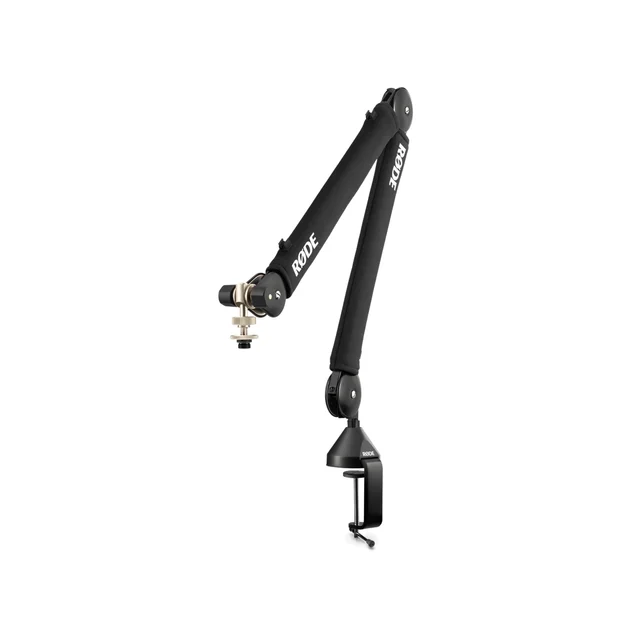
The short version
Weight capacity is the whole story with boom arms, and the number that matters is your mic plus its shock mount, not the mic alone. The RØDE PSA1+ is our pick: rated to 1.2 kg, silent damped springs, and no meaningful droop reports from owners running mid-weight dynamics. The Elgato Wave Mic Arm Pro is the choice when you need real headroom, with a gas spring rated to 3 kg that also carries a pop filter and a light without complaint. The Gator Frameworks GFWMICBCBM3000 gives you heavy-duty capacity and long reach for less money, but its XLR cable is permanently routed inside the arm and cannot be swapped. Skip the InnoGear budget arm: it advertises 4.4 lb, and owners keep reporting the same slow sag and stripped tension screws once a heavy dynamic goes on. Best for: podcasters and streamers who want the mic to stay exactly where they parked it.
Our picks at a glance
- RØDE PSA1+ Professional Studio Boom Arm - Buy. The default answer for most desks: silent damped springs, a sane weight window, and it stays where you put it.
- Elgato Wave Mic Arm Pro - Buy. A gas spring rated to 3 kg, which is the only spec in this group that leaves genuine headroom for a heavy mic plus a heavy mount.
- Gator Frameworks GFWMICBCBM3000 Deluxe Desktop Mic Boom Stand - It depends. The most load per dollar in the group, with a captive XLR cable that is either the best feature or the reason you skip it.
- InnoGear Upgraded Microphone Boom Arm - Skip. Marketed for the SM7B and rated at 4.4 lb, but the joints and springs are the part owners end up fighting.
The verdict in 30 seconds
What mattered most
- Rated mic weight capacity
- Capacity left with an 852 g Shure SM7B alone
- Tension mechanism
- Sag over time (owner reports)
- Reach and desk footprint
- Cable management
A boom arm has one job: hold your microphone exactly where you put it, for years, without creeping downward. Almost every arm does that on day one, and the cheap ones stop doing it around month three, because the mic plus its shock mount weighs more than the springs were built for. We looked at four desk-clamp arms across the price range and judged them on the gap between the number on the box and the load they actually carry at full extension. Two are easy recommendations, one is a strong value with a real caveat, and one is the arm that keeps landing in returns bins with a drooping mic attached.
The default answer for most desks: silent damped springs, a sane weight window, and it stays where you put it.
Best for: Podcasters and streamers running a dynamic mic in the 700 g to 1 kg range who want to buy once and stop thinking about it.
- RØDE rates it for microphones between roughly 94 g and 1.2 kg, which covers a Shure SM7B (852 g, per Shure) and RØDE's own PodMic (937 g) with room left over
- Internally damped parallelogram springs move silently, so repositioning mid-recording does not print a creak into the take
- Integrated cable management takes both XLR and USB cables, so nothing dangles or snags
- Owners consistently report no measurable droop after long-term use with mid-weight dynamics, which is the exact failure this category is known for
- The 1.2 kg ceiling gets tight once you add a heavy aftermarket shock mount to an already heavy broadcast mic, and running an arm at its ceiling is what wears springs out
- The clamp needs a reasonably accessible desk edge, though RØDE also includes a threaded desk mount for through-desk installs
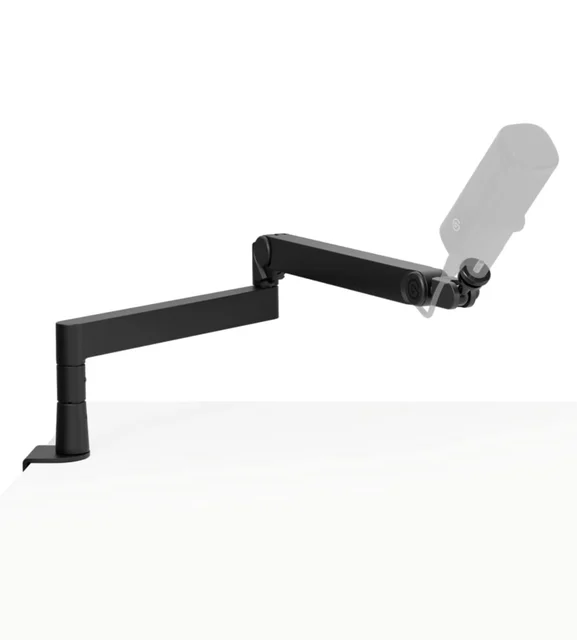
A gas spring rated to 3 kg, which is the only spec in this group that leaves genuine headroom for a heavy mic plus a heavy mount.
Best for: Anyone running a Shure SM7B, RE20, or similar broadcast dynamic in a metal shock mount, or planning to add a pop filter and a light on the same arm.
- Rated for microphones up to 3 kg (6.6 lb), well above the ceiling of the spring arms it competes with, so a broadcast dynamic plus a metal shock mount is nowhere near the limit
- The gas spring holds position by pressure rather than by coil tension, so there is no spring to slowly relax and no tension knob to keep retightening
- The desk clamp opens to 60 mm (2.4 in), and a riser is included
- Ships with 1/4 inch threading plus 3/8 inch and 5/8 inch adapters, and routes cable through built-in magnetic channels
- Gas springs need load to behave: with a very light USB mic the arm can float upward until you dial the tension down, so it is the wrong tool for a 200 g condenser
- A heavy arm at 2 kg on its own, and priced accordingly
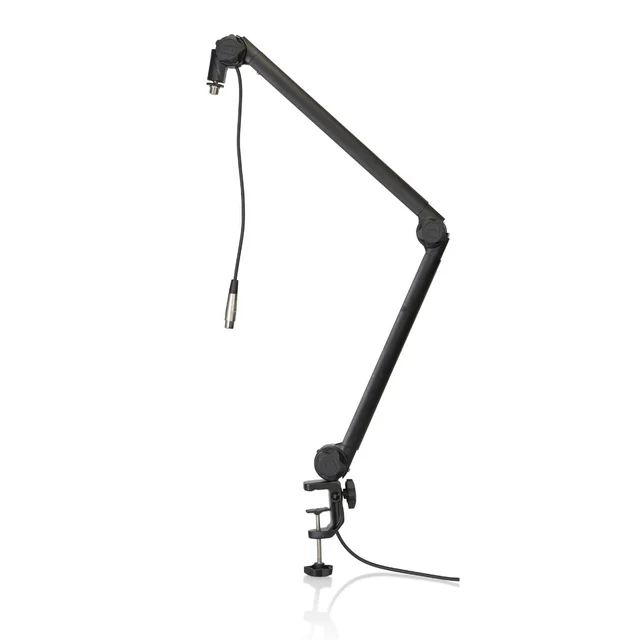
The most load per dollar in the group, with a captive XLR cable that is either the best feature or the reason you skip it.
Best for: Home studios with a heavy condenser or broadcast dynamic and a fixed XLR chain, where capacity and reach matter more than a slim silhouette.
- Steel construction with metal coil springs, built for heavy broadcast mics and large-diaphragm condensers
- Long reach, useful if the clamp point is far from your face
- An XLR cable is already routed inside the arm, so the tidy-cable problem is solved out of the box
- Desk clamp with a rotating base
- The internal XLR cable is fixed. If that run ever fails you are rewiring the arm or replacing it, and you cannot swap in a different cable type
- Steel construction makes it noticeably heavier and bulkier above the desk than the aluminium arms, and the joints are tuned with hardware rather than a thumbwheel
- Reviewers note more mechanical noise on repositioning than the damped-spring and gas-spring designs
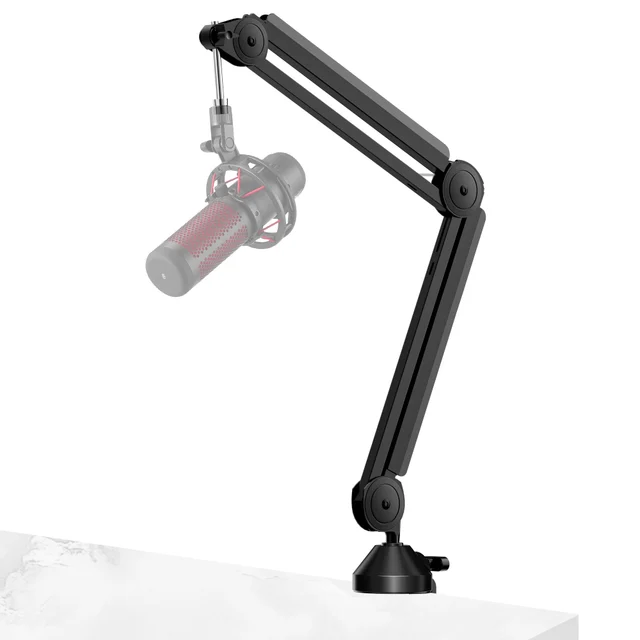
Marketed for the SM7B and rated at 4.4 lb, but the joints and springs are the part owners end up fighting.
Best for: A light USB condenser under about 500 g on a temporary setup, and not much else.
- Cheapest way to get a mic off the desk, with cable-hiding channels that most arms at this price omit
- Includes 5/8 inch and 3/8 inch adapters and fits the usual USB mics like the Blue Yeti and HyperX QuadCast without drama
- The 4.4 lb figure describes a static rating, not sustained holding torque at full extension. Owners repeatedly report the arm creeping downward within months once a heavy dynamic is fitted, and having to retighten the tension screws every few weeks
- Owner reports of cracked plastic joint parts and stripped adjustment screws are common
- InnoGear does not sell the tension hardware as a spare part, so a sagging arm is a disposal, not a repair
| Criteria | RØDE PSA1+ Professional Studio Boom Arm Top pick | Elgato Wave Mic Arm Pro | Gator Frameworks GFWMICBCBM3000 Deluxe Desktop Mic Boom Stand | InnoGear Upgraded Microphone Boom Arm |
|---|---|---|---|---|
| Verdict | Buy it | Buy it | It depends | Skip it |
| Best for | Podcasters and streamers running a dynamic mic in the 700 g to 1 kg range who want to buy once and stop thinking about it. | Anyone running a Shure SM7B, RE20, or similar broadcast dynamic in a metal shock mount, or planning to add a pop filter and a light on the same arm. | Home studios with a heavy condenser or broadcast dynamic and a fixed XLR chain, where capacity and reach matter more than a slim silhouette. | A light USB condenser under about 500 g on a temporary setup, and not much else. |
| Price tier | $$ · premium | $$ · premium | $ · mid-range | $ · budget |
| Rated mic weight capacity | About 94 g to 1.2 kg (2.6 lb) | Up to 3 kg (6.6 lb) | Not confirmed; maker page unavailable | Claimed 4.4 lb, not sustained in practice |
| Capacity left with an 852 g Shure SM7B alone | About 350 g | About 2.1 kg | Not confirmed | Owners report droop with heavy dynamics |
| Tension mechanism | Internally damped coil springs, no user knob | Gas spring with adjustable pressure | Metal coil springs plus hardware-set joints | Coil springs plus friction screws you retighten |
| Sag over time (owner reports) | Rarely reported | Rarely reported | Occasional, usually joint tension not springs | Frequently reported within months |
| Reach and desk footprint | Long reach, slim aluminium profile | 750 mm reach, 60 mm clamp, 2 kg arm | Long reach, bulky steel | Moderate reach, compact but flexes |
| Cable management | Internal channels, bring your own cable | Built-in magnetic channels, bring your own cable | Fixed XLR routed inside, not replaceable | External channel covers, cable can work loose |
| Movement noise | Effectively silent | Effectively silent | Some mechanical noise on repositioning | Audible creak and clunk as parts wear |
| Price tier | $$ · premium | $$ · premium | $ · mid-range | $ · budget |
Which one is right for you?
- Podcasters and streamers running a dynamic mic in the 700 g to 1 kg range who want to buy once and stop thinking about it. Buy it RØDE PSA1+ Professional Studio Boom Arm
- Anyone running a Shure SM7B, RE20, or similar broadcast dynamic in a metal shock mount, or planning to add a pop filter and a light on the same arm. Buy it Elgato Wave Mic Arm Pro
- Home studios with a heavy condenser or broadcast dynamic and a fixed XLR chain, where capacity and reach matter more than a slim silhouette. It depends Gator Frameworks GFWMICBCBM3000 Deluxe Desktop Mic Boom Stand
- A light USB condenser under about 500 g on a temporary setup, and not much else. Skip it InnoGear Upgraded Microphone Boom Arm
How we judged the field
We do not run a lab. What we do is read across independent testing, manufacturer specifications, and the pattern of owner reports that accumulate once an arm has been on real desks for a year or more, then weigh those against each other.
For boom arms, one criterion dominates everything else: the relationship between the arm’s rated capacity and the actual mass hanging off the end of it. Nearly every complaint in this category traces back to the same thing. Someone buys an arm advertised at 4.4 lb, hangs a heavy broadcast dynamic in a metal shock mount off it, and three months later the mic is pointing at their keyboard. The rating was not a lie exactly, but it described a static load in a favourable position, not sustained holding torque with the arm extended horizontally over a desk.
So we treated capacity as a budget rather than a target. An arm running at 90 percent of its rating is an arm whose springs are being asked to work hardest, and springs under constant near-maximum tension relax faster. We gave credit for headroom, for tension mechanisms that do not depend on friction screws a user has to keep retightening, and for construction where the load-bearing joints are metal rather than plastic.
After that, we looked at movement noise (an arm that creaks into your take is a defect, not a quirk), cable routing that actually hides cable rather than clipping it to the outside, clamp compatibility with real desk thicknesses, and whether the arm can be serviced or is disposable once it starts to sag.
RØDE publishes a weight window rather than a single ceiling: roughly 94 g at the bottom and 1.2 kg at the top. That framing is more useful than a bare maximum, because it tells you the arm has a lower bound too. In practice the window lines up neatly with the microphones people actually put on podcast desks. Shure lists the SM7B at 852 g. RØDE’s own PodMic is 937 g. Both fit inside the window on their own, though a heavy mount on top eats into the headroom quickly.
The mechanism is a damped parallelogram with the springs enclosed inside the arm tubes. Two things follow from that. It is effectively silent to reposition, so you can move the mic mid-recording without printing a creak into the file. And there is no exposed tension knob to fiddle with, because there is nothing for the user to adjust or forget to retighten. Owner reports over multiple years are notably free of the droop complaints that dominate this category.
Cable runs inside the tubes through internal channels, so nothing dangles or rattles when you swing the arm. The clamp is conventional and wants a reasonably accessible desk edge.
The real limitation is the 1.2 kg ceiling. It is generous for a mic, but not generous for a mic plus a heavy aftermarket shock mount plus a pop filter. If your assembly is creeping toward a kilogram, you are buying an arm at the top of its range, and that is exactly the condition that shortens spring life. For most setups it is not close, and the PSA1+ is the arm to get.
This is the capacity answer. Elgato rates the Wave Mic Arm Pro for microphones up to 3 kg (6.6 lb), well above what the coil-spring arms here claim, and it uses a gas spring rather than metal coils to get there.
The mechanism matters as much as the number. A gas spring holds position with pressure inside a sealed cylinder, so it does not have a coil that slowly relaxes under load. Adjusting it means changing that pressure rather than cranking a friction screw. Independent testing and owner reports both describe it as the arm you buy when you have stopped wanting to think about sag: an SM7B in a metal mount sits at roughly a third of the rated load, with room left for a pop filter or a small light on the same arm.
The clamp is unusually accommodating, opening to 60 mm (2.4 in) with a riser in the box, and the arm ships with 1/4 inch threading plus 3/8 inch and 5/8 inch adapters, so mounting compatibility is a non-issue. Cable routes through built-in magnetic channels.
The catch is the flip side of all that capacity. Gas springs want load. Fit a 200 g USB condenser and the arm will tend to float upward until you back the pressure off, and even then it can feel over-sprung for something that light. It is also a heavy arm at 2 kg on its own, and it costs like a premium product. If your mic is light, the PSA1+ is a better match. If your mic is heavy, nothing else here competes.
On paper this is the value play: heavy-duty capacity, long reach, steel construction with metal coil springs and a rotating base. It costs meaningfully less than the two arms above. Check its current rated capacity on Gator’s listing before you buy for a heavy large-diaphragm condenser or broadcast dynamic.
It also ships with an XLR cable already routed inside the arm. That solves the cable problem completely on day one, and it is the single most divisive thing about this product. The cable is fixed. You are not swapping it for a shorter run, you are not routing a USB cable instead, and if that conductor ever fails you are either rewiring the arm yourself or buying a new arm. Plenty of people never touch it and love it. Plenty of others find out the hard way that they wanted a replaceable cable.
The other trade-offs are physical. Steel means it is heavier and visually chunkier above the desk than the aluminium arms, joint tension is set with hardware rather than a thumbwheel, and reviewers consistently note more mechanical noise when repositioning than the damped-spring or gas-spring designs produce. None of that is disqualifying in a room where you set the mic once and leave it. In a setup where you move the arm constantly on a live mic, it is.
Buy it if capacity and reach per dollar are what you need and a permanent XLR run is fine. Look elsewhere if you reposition often or want a serviceable cable path.
The listing puts a Shure SM7B in the compatibility graphic and a 4.4 lb load-bearing figure in large type. Both claims are technically defensible and neither describes what happens after three months.
This is the arm that produced the pattern we built the rest of this comparison around. Owner reports converge on the same sequence: the arm holds fine at first, then begins creeping downward under a heavy dynamic, then the fix is to retighten the tension screws, then the retightening interval gets shorter, then a screw strips or a plastic joint housing cracks. The rating is a static number. The failure is sustained holding torque at full horizontal extension, which is the position the arm actually lives in on a desk.
The underlying reason is construction. Owners report plastic joint parts cracking, the springs are ordinary exposed coils, and InnoGear does not sell the tension hardware as a spare part. That combination makes a sagging arm a disposal rather than a repair, which is a poor outcome even at a budget price.
It does hide cable better than most arms in its bracket, and with a light USB condenser under about 500 g it will do its job. But the specific use it is marketed for, holding a heavy broadcast dynamic, is the use it is least suited to. That is why it is the skip.
RØDE PSA1+ vs Elgato Wave Mic Arm Pro: which should you buy?
Weigh your rig and the answer falls out.
Put your microphone and its shock mount on a kitchen scale. If the total is comfortably under about 1 kg, buy the PSA1+. It is smaller on the desk, quieter to move, handles light and mid-weight mics with equal composure, and costs less. An SM7B, a PodMic, an AT2020 in a spider mount: all of these sit in the sweet spot of the PSA1+ window with headroom to spare, and headroom is what keeps springs healthy.
If the total is over about 1 kg, or if you plan to hang a pop filter and a small light on the same arm, buy the Wave Mic Arm Pro. Its 3 kg gas spring is not marketing padding, it is a different mechanism that does not lose tension the way coils do, and the difference shows up at year three rather than week one. The 60 mm clamp opening and included riser also help on thick desks.
The one case where the choice inverts: a very light USB condenser. There the gas spring is over-sprung and will want to drift upward, while the damped coils of the PSA1+ hold a light load without argument. Capacity you cannot use is not a feature.
What to look for
- Weigh the whole assembly. Microphone plus shock mount plus pop filter. Shock mounts alone can add 150 g to 500 g, and that is the number most people leave out.
- Buy 30 to 40 percent above your total. Rated capacity is a ceiling, not a target. Arms running near their limit lose spring tension fastest.
- Check the tension mechanism. Enclosed damped springs and gas springs hold up. Friction screws that you have to keep retightening are a countdown, not a design.
- Look at what the joints are made of. Metal load-bearing joints survive. Plastic ones crack, and they are the parts you cannot replace.
- Measure your desk edge. The Elgato clamp tops out at 60 mm, so check the maker’s figure for any arm. Thick desks, lips, and walls behind the desk all rule out a simple clamp.
- Decide about the cable before you buy. An arm with a permanently routed cable is tidier out of the box and unfixable later. Internal channels with your own cable are the safer default.
- Listen for the mechanism. If the arm creaks when you move it, it will creak into a live recording. Damped and gas designs are effectively silent.
Our final take
Boom arms are a category where the specification sheet and the lived experience diverge, and the divergence always runs the same direction: an arm rated for more weight than it can hold indefinitely. Treat the published capacity as a budget with 30 percent held back, weigh the mount along with the mic, and most of the disappointment in this category disappears.
The RØDE PSA1+ is the arm we would put on most desks. Its rated window matches the microphones people actually use, the damped springs are silent and durable, and the long-term owner record is close to clean. The Elgato Wave Mic Arm Pro is the upgrade with a purpose rather than a bigger number: if your microphone and mount together push past a kilogram, or you want to hang accessories on the same arm, the gas spring gives you capacity that will still be there in five years.
The Gator Frameworks GFWMICBCBM3000 is a real value if you want maximum capacity and reach for less money and you can live with a cable you will never replace. The InnoGear arm is the one to walk past. Not because budget arms are inherently bad, but because this one is sold specifically for the heavy microphones it is least able to hold, and the resulting slow droop is the exact problem you bought a boom arm to avoid.
Questions, answered
How much weight does my boom arm actually need to hold?
Weigh the whole assembly, not the microphone. Shure lists the SM7B at 852 g, and RØDE lists its PodMic at 937 g. A metal shock mount can add a few hundred grams, and a pop filter adds a little more. Add it up, then buy an arm rated at least 30 to 40 percent above that total. Springs lose tension fastest when they sit near their limit, so headroom is what buys you years of no sag.
Why does my mic arm slowly droop even though it is under the rated weight?
Two reasons. First, published ratings are usually static holding figures measured with the arm in a favourable position, while the load on the springs peaks when the arm is fully extended horizontally. Second, coil springs relax over time under constant tension, and friction joints polish themselves smooth. Cheaper arms combine both problems and add plastic joint parts that deform. Tightening the screws works for a while, then it stops working.
Is a gas spring arm better than a coil spring arm?
Gas springs hold position by gas pressure rather than metal tension, so they resist the slow relaxation that makes coil arms droop, and they usually carry more weight. The trade-off is a minimum load: hang a very light USB condenser on a gas spring arm and it will drift upward until you back the pressure off. Coil arms with internal damping, like the PSA1+, handle light mics more gracefully and stay quieter than exposed-spring designs.
Do I need a desk clamp or a grommet mount?
A clamp is fine for most desks, but check two things: the maximum thickness the clamp accepts, and whether you actually have clear access to the desk edge. The Elgato clamp, for example, opens to 60 mm. If your desk is thicker than that, has a lip, or sits flush against a wall, look for a model that offers a grommet or through-desk insert instead, and confirm you can drill the surface.
Will a boom arm reduce keyboard and desk noise?
Partly. Getting the mic off a desk stand removes the direct path for typing and mug thumps travelling up through the surface, which is a real improvement. It does not isolate the mic completely, because the clamp is still bolted to the desk. Pair the arm with a proper shock mount for the rest of it, and remember that adding a shock mount is exactly the weight most people forget when they pick an arm.
Deciding between the top two? See our head-to-head: RØDE PSA1+ Professional Studio Boom Arm vs Elgato Wave Mic Arm Pro.
More Audio & Headphones reviews
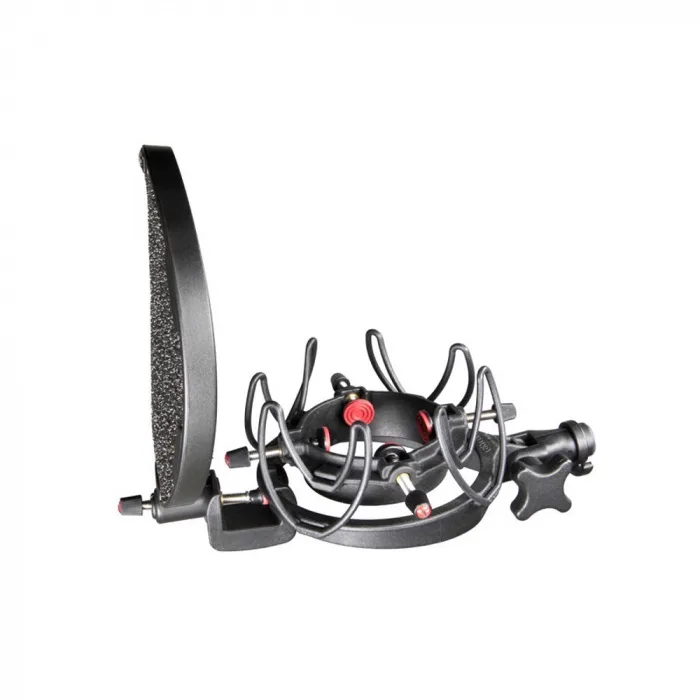 The Best Microphone Shock Mounts: 4 Compared (and One to Skip)
  The Best MIDI Keyboard Controllers: 4 Compared (and One to Skip)
  The Best Music Streamers: 4 Compared (and One to Skip)
  The Best Premium Noise-Cancelling Headphones: 4 Compared (and One to Skip)
  The Best Open-Back Headphones: 4 Compared (and One to Skip)
  The Best Open-Ear Headphones: 4 Compared (and One to Skip)