

Tech & Gadgets
The Best USB Bluetooth Adapters: 4 Compared (and One to Skip)
We compared four USB Bluetooth dongles for PC on setup hassle, range, audio codecs and everyday reliability to find the one worth buying.
The short version
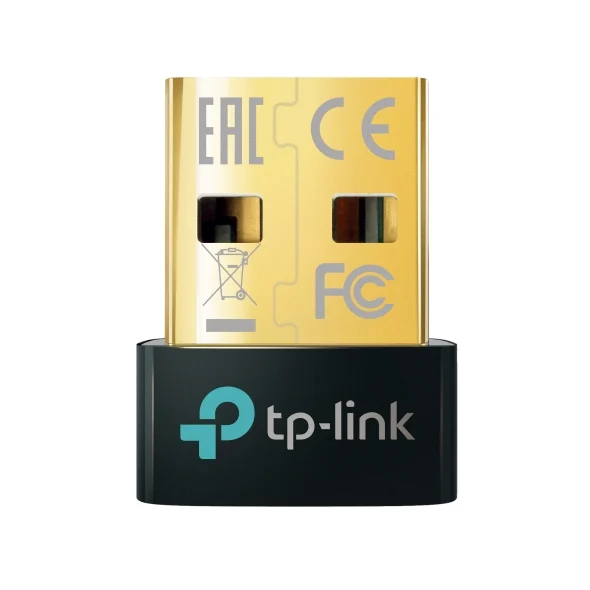
For adding Bluetooth to a PC, a current 5.x nano dongle is all most people need, and the TP-Link UB500 is the one to buy — it's tiny, plug-and-play on Windows 10/11, and dirt cheap. The ASUS USB-BT500 is a near-equal alternative that leans on ASUS's driver support, handy if a generic dongle misbehaves. Neither gives you high-end audio codecs: on Windows they fall back to SBC, so if your priority is low-latency wireless headphones, the specialist Avantree DG80 audio transmitter with aptX Low Latency is worth the premium — just remember it does nothing but audio. Skip the Bluetooth 4.0 TP-Link UB400, which is often priced like a 5.x model while offering an older Bluetooth generation. Best for: most PC owners who want fuss-free Bluetooth for mice, keyboards, controllers and headsets, with the UB500 as the safe first buy.
Our picks at a glance
- TP-Link UB500 - Buy. The default answer for most people: tiny, plug-and-play on Windows 10/11, and cheap enough to be an impulse buy.
- ASUS USB-BT500 - Buy. A rock-solid, ultra-compact Bluetooth 5.0 alternative with a strong driver track record for finicky desktop builds.
- Avantree DG80 - It depends. Not a general-purpose dongle at all, but a dedicated low-latency audio transmitter for wireless headphones on PC and consoles.
- TP-Link UB400 - Skip. A dated Bluetooth 4.0 dongle that is often priced close to a 5.x model while offering an older Bluetooth generation.
The verdict in 30 seconds
What mattered most
- Bluetooth version
- Best use
- Audio codecs
- Typical range
- Setup
- Form factor
Adding Bluetooth to a desktop or an older laptop should cost you a few minutes and pocket change, but the wall of near-identical dongles hides real differences in driver hassle, Bluetooth version and audio quality. We synthesized independent testing and owner reports to sort the field. Two of these are easy recommendations, one is a specialist tool that's brilliant for exactly one job, and one is a dated part you should walk past.
The default answer for most people: tiny, plug-and-play on Windows 10/11, and cheap enough to be an impulse buy.
Best for: Anyone adding Bluetooth to a desktop or older laptop for peripherals and everyday headsets.
- Genuinely plug-and-play on Windows 10/11 — no driver disc or hunting required
- Bluetooth 5.x with wide backward compatibility for mice, keyboards, controllers and headsets
- Nano form factor sits nearly flush in a USB-A port
- Still protrudes just enough to catch on a laptop bag
- Windows falls back to the basic SBC audio codec — no aptX or LDAC
- Windows 7 users still have to install a driver manually
Own the TP-Link UB500? Tell us how it held up.
Thanks. Counted, and shown once enough owners have weighed in.
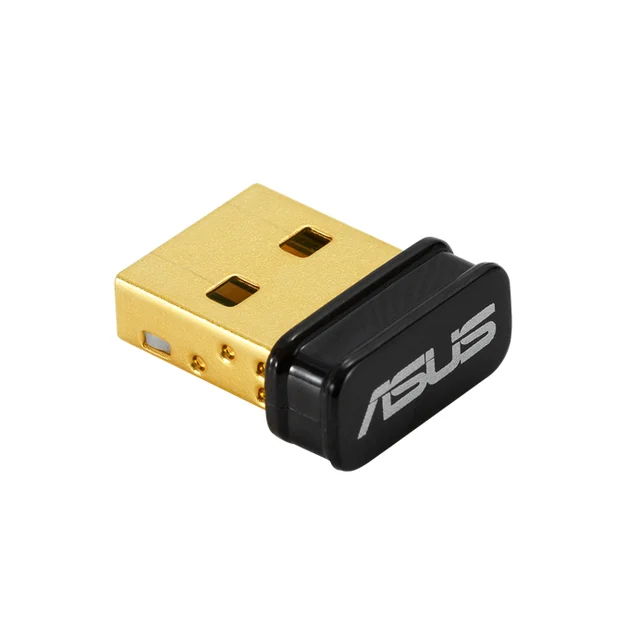
A rock-solid, ultra-compact Bluetooth 5.0 alternative with a strong driver track record for finicky desktop builds.
Best for: Desktop builders who want a dependable pick or who hit conflicts with a generic dongle.
- Very small, low-profile design that barely clears the port
- Dependable Bluetooth 5.0 connection well suited to keyboards, mice and controllers
- Backed by ongoing ASUS driver support for stubborn motherboards
- Some owners report needing the ASUS driver, and ASUS lists Windows 8.1 and 10 plus Linux support
- Also limited to SBC audio on Windows — not an audiophile solution
- Priced a touch above the cheapest nano dongles for similar everyday performance
Amazon had no buyable listing for this when we last checked. The link still works if it returns.
Find it on Amazon Read our detailed assessmentOwn the ASUS USB-BT500? Tell us how it held up.
Thanks. Counted, and shown once enough owners have weighed in.
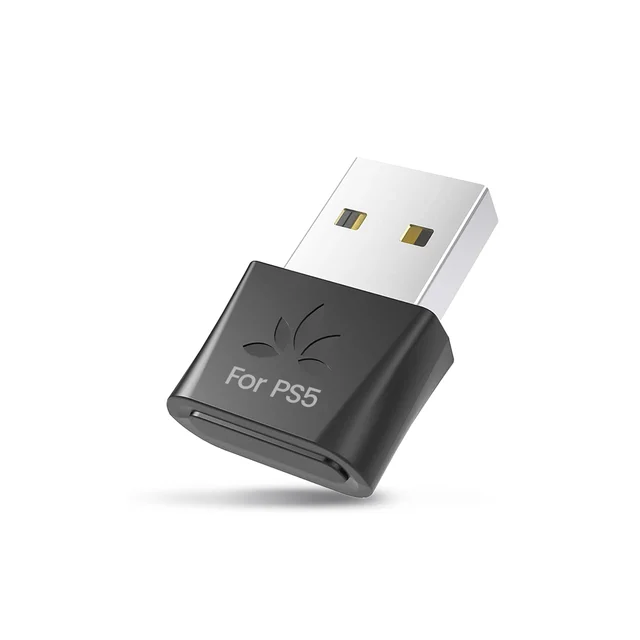
Not a general-purpose dongle at all, but a dedicated low-latency audio transmitter for wireless headphones on PC and consoles.
Best for: Wireless-headphone users who want synced, low-latency sound for games and video on Windows or a console.
- Supports aptX Low Latency and aptX Adaptive for near lag-free audio with matching headphones
- No drivers needed, plug in and pair on PC and consoles
- Noticeably longer real-world range than a nano dongle
- Audio only — it will not connect a mouse, keyboard, controller or transfer files
- Costs more than a standard everyday dongle
- Your headphones must support aptX LL or Adaptive to get the low-latency payoff
Own the Avantree DG80? Tell us how it held up.
Thanks. Counted, and shown once enough owners have weighed in.
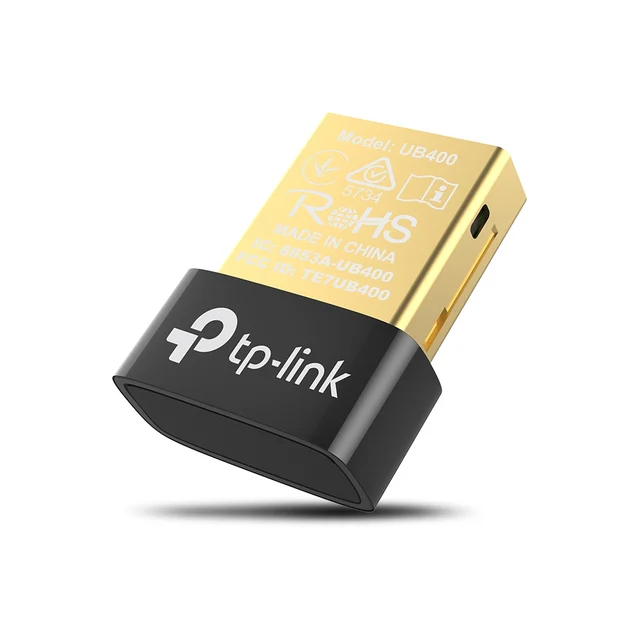
A dated Bluetooth 4.0 dongle that is often priced close to a 5.x model while offering an older Bluetooth generation.
Best for: Almost no one in 2026 — only a stopgap if it happens to be free.
- Very cheap and widely stocked
- Perfectly fine for a single legacy mouse or keyboard
- Only Bluetooth 4.0 — older range, speed and multi-device behaviour
- Windows 7 and XP need a manual driver install, and TP-Link advises updating drivers after an OS update
- Often priced close to more capable 5.x nano adapters, which makes it hard to justify
Own the TP-Link UB400? Tell us how it held up.
Thanks. Counted, and shown once enough owners have weighed in.
| Criteria | TP-Link UB500 Top pick Buy it Buy | ASUS USB-BT500 Buy it | Avantree DG80 It depends Buy | TP-Link UB400 Skip it Buy |
|---|---|---|---|---|
| Best for | Anyone adding Bluetooth to a desktop or older laptop for peripherals and everyday headsets. | Desktop builders who want a dependable pick or who hit conflicts with a generic dongle. | Wireless-headphone users who want synced, low-latency sound for games and video on Windows or a console. | Almost no one in 2026 — only a stopgap if it happens to be free. |
| Price tier | $ · budget | $ · budget | $$ · mid-range | $ · budget |
| Bluetooth version | Bluetooth 5.x | Bluetooth 5.0 | Bluetooth 5.x | Bluetooth 4.0 |
| Best use | All-round peripherals + audio | All-round peripherals + audio | Wireless headphone audio only | Single legacy peripheral |
| Audio codecs | SBC (Windows) | SBC (Windows) | aptX LL / aptX Adaptive | SBC (Windows) |
| Typical range | Standard nano (short-to-mid) | Standard nano (short-to-mid) | Extended (best of the group) | Standard nano (short) |
| Setup | Plug-and-play on Win 10/11 | May need the ASUS driver | Plug-and-play, no drivers | Plug-and-play on Win 8 to 10, driver for Win 7 |
| Form factor | Nano | Nano | Compact stick | Nano |
| Price tier | $ · budget | $ · budget | $$ · mid-range | $ · budget |
Which one is right for you?
- Anyone adding Bluetooth to a desktop or older laptop for peripherals and everyday headsets. Buy it TP-Link UB500
- Desktop builders who want a dependable pick or who hit conflicts with a generic dongle. Buy it ASUS USB-BT500
- Wireless-headphone users who want synced, low-latency sound for games and video on Windows or a console. It depends Avantree DG80
- Almost no one in 2026 — only a stopgap if it happens to be free. Skip it TP-Link UB400
How we judged the field
We don’t run our own lab. Instead we pull together independent testing and a wide read of owner reports, then weigh the things that actually decide whether one of these little dongles is a good buy: how painless setup is on modern Windows, how stable the connection stays with everyday peripherals, the Bluetooth version and its real-world range, and what you can realistically expect from audio. Price matters too, but because these devices cluster so tightly, value comes down to what you get for roughly the same outlay rather than headline cost. We also drew a hard line between general-purpose adapters that talk to mice, keyboards, controllers and headsets, and single-purpose audio transmitters that only handle sound — comparing them on the same features would be misleading, so we call out which is which.
TP-Link UB500
Buy itThis is the dongle to recommend when someone just wants Bluetooth to work. It’s a current-generation nano adapter that Windows 10 and 11 detect on their own, with no disc, download or fiddling. Owners consistently describe the same uneventful experience: plug it into a USB-A port, pair a mouse, keyboard, controller or headset, and get on with your day. The nano body sits almost flush, and because it’s so inexpensive it’s an easy call even as a spare. The honest limits are minor for its audience — it protrudes just enough to be worth minding on a laptop, and on Windows your audio runs over the basic SBC codec, so it’s not a route to audiophile sound. For the job most people are buying it for, none of that stings.
ASUS USB-BT500
Buy itThe USB-BT500 is the equally tiny alternative for people who want a second strong option, and it’s especially worth knowing about if you’re on a desktop where a generic dongle has caused grief. It’s a dependable Bluetooth 5.0 adapter with the same low-profile footprint, and ASUS’s continued driver support is a genuine plus when a stubborn motherboard or a clean Windows install refuses to cooperate. The trade-off is that setup can be less automatic than the UB500: some owners report needing to install the ASUS driver before it behaves. It’s also capped at SBC audio like the others. Everyday performance is a wash with the UB500, so this comes down to whether you value the ASUS driver safety net.
Avantree DG80
It dependsThe DG80 is the odd one out, and that’s the point. It isn’t a general adapter — it’s a dedicated audio transmitter that supports aptX Low Latency and aptX Adaptive. If your goal is wireless headphones for gaming or video on a PC or a console, and your headphones support those codecs, it delivers something the standard dongles can’t: audio that stays in sync with the picture, with noticeably better range than a nano stick. It’s plug-and-play with no drivers on PC and consoles. The catch is right there in the category: it does audio and only audio. It will not connect a mouse, keyboard, controller, or move files, and it costs more than an everyday dongle. Buy it for the specific problem it solves; don’t buy it expecting an all-rounder.
TP-Link UB400
Skip itThe UB400 is a fine little part that has simply been left behind. It’s Bluetooth 4.0, and while TP-Link lists it as plug-and-play on Windows 8 to 10, Windows 7 and XP still need a driver. The problem isn’t that it’s bad — a single old mouse or keyboard will work — it’s that it is often priced close to a current 5.x nano while giving you an older Bluetooth generation. When spending essentially the same money gets you a better, easier adapter, there’s no reason to choose the downgrade. Skip it unless one lands in your hands for free.
Sources
Specs in this review come from these pages.
TP-Link UB500 vs ASUS USB-BT500: which should you buy?
These two are close enough that most buyers can’t go wrong, but there’s a clean way to choose. The UB500 wins on sheer convenience: it’s typically plug-and-play on Windows 10 and 11, it’s the cheaper of the pair, and it uses a newer Bluetooth revision. For the average person adding Bluetooth to a laptop or desktop, it’s the first thing to try. The USB-BT500 earns its place as the pick for desktop builders and anyone who has been burned by a flaky generic dongle — ASUS’s driver support can be the difference between a working port and an afternoon of troubleshooting, and some people simply trust the brand on a system they’ve built. Both are tiny, both are reliable day to day, and both top out at SBC audio. Start with the UB500; reach for the USB-BT500 if you want the ASUS safety net or hit a conflict.
What to look for
- Bluetooth version: Choose a current 5.x adapter over anything labelled 4.0 — the price is nearly identical and you get better range and multi-device handling.
- Setup: On Windows 10/11, favour adapters described as plug-and-play; check whether a manual driver install is needed if you’re on older Windows.
- What you’re connecting: A standard dongle handles mice, keyboards, controllers and headsets together; an audio transmitter handles sound only.
- Audio expectations: For music and calls, any of these is fine over SBC. For low-latency wireless headphones, you need a dedicated aptX Low Latency transmitter and matching headphones.
- Form factor: Nano dongles are best at desk distance; a longer body or external antenna helps if you move around the room.
Our final take
For the overwhelming majority of people, the answer is a current Bluetooth 5.x nano, and the TP-Link UB500 is the one to buy first — it’s tiny, it just works on modern Windows, and it costs almost nothing. Keep the ASUS USB-BT500 in mind as the equally small, equally reliable backup, particularly on a desktop build where its driver support can save you a headache. Only step up to the specialist Avantree DG80 if your real goal is low-latency wireless headphone audio, and go in knowing it does nothing else. And whatever you do, don’t pay 5.x money for the Bluetooth 4.0 UB400 — that’s the one clear skip here.
Questions, answered
Do USB Bluetooth adapters need drivers?
The best modern ones don't for everyday use. On Windows 10 and 11, plug-and-play adapters like the TP-Link UB500 are recognized automatically. The Bluetooth 4.0 UB400 is plug-and-play on Windows 8 to 10 per TP-Link, and the ASUS USB-BT500 may need its own driver. On Windows 7, expect to install a driver regardless of model.
Will a USB Bluetooth adapter give me aptX or LDAC audio on Windows?
Usually not. Windows generally streams over the basic SBC codec no matter which standard dongle you use, so a cheap nano adapter and a pricier one often sound identical for music. If you specifically want aptX Low Latency or aptX Adaptive — for lip-synced video or gaming — you need a dedicated audio transmitter like the Avantree DG80 and headphones that also support those codecs. LDAC is effectively an Android/Sony feature and isn't something these PC dongles deliver.
Can one adapter connect a controller, mouse and headphones at the same time?
A standard dongle like the UB500 or USB-BT500 can pair with several peripherals at once — a mouse, keyboard and headset together is normal. The exception is the Avantree DG80: it is an audio-only transmitter, so it connects headphones or speakers and nothing else. Match the tool to the job.
Why not just buy the absolute cheapest dongle I can find?
Price barely separates a current Bluetooth 5.x nano from an old 4.0 one, so the cheapest listing is often the worst value. A 5.x adapter gives you better range, smoother multi-device handling and, on modern Windows, no driver hassle. Paying essentially the same for Bluetooth 4.0 like the UB400 means taking a downgrade for no saving.
Does a nano dongle have worse range than a stick with an antenna?
In practice, yes, a little. Nano adapters like the UB500 and USB-BT500 are optimized for size and are ideal at desk distance for peripherals and headsets. If you roam further from the PC — for example wearing wireless headphones across a room — a longer-range design such as the Avantree DG80 holds the connection better. For a mouse and keyboard right at the machine, the difference rarely matters.
Deciding between the top two? See our head-to-head: TP-Link UB500 vs ASUS USB-BT500.
More in Tech & Gadgets
USB Bluetooth Adapters, Explained Plain-English guide → TP-Link UB500 vs ASUS USB-BT500 Head-to-head →  The Best Bluetooth Item Trackers (2026): AirTag-Style Finders, Honestly Compared
  The Best Book Lights: 4 Compared (and One to Skip)
  The Best Budget Laptops for Everyday Use: 4 Compared (and One to Skip)
  Best Budget Mechanical Keyboards: The 3 Worth Buying and 1 Popular Pick to Skip