

Tech & Gadgets · Head-to-head
CalDigit TS4 Thunderbolt 4 Dock vs Kensington SD5700T Thunderbolt 4 Docking Station
Which should you buy? Our verdict on both, pulled from our full The Best Laptop Docking Stations: 4 Compared (and One to Skip) comparison.
The CalDigit TS4 is the most capable dock here, with the highest port count, 98W charging, and Thunderbolt 4 display support. The Kensington SD5700T is the smarter buy for most offices, trading a few ports and some cost for excellent stability, security mounting, and dependable dual-4K output.
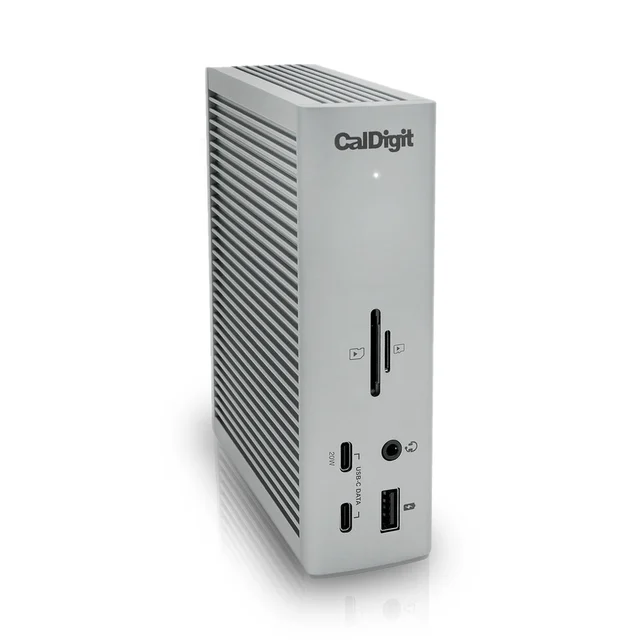
CalDigit TS4 Thunderbolt 4 Dock
Buy itA very complete Thunderbolt 4 dock - 18 ports, 98W host charging, and 8K single-display support in one brick.
- 18 ports including three Thunderbolt 4 40Gbps ports (compatible with Thunderbolt 5 computers), five USB-A and three USB-C
- 98W laptop charging through the host Thunderbolt 4 port
- 2.5GbE networking plus UHS-II SD and microSD readers built in, with single 8K at 30Hz support and dual 4K@60Hz (dual 6K@60Hz on some Macs with DSC)
- Flagship pricing that only pros will justify
- Owners report it runs warm under heavy load, and a few see USB-C SSDs drop after sleep
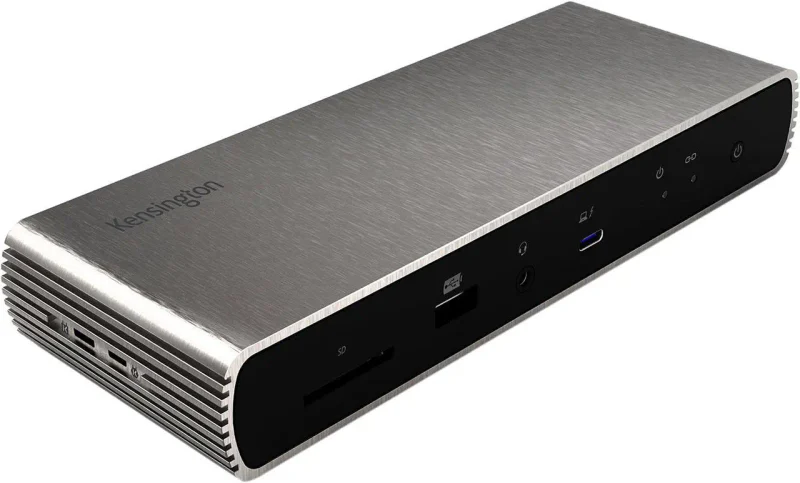
Kensington SD5700T Thunderbolt 4 Docking Station
Buy itA quieter, more affordable office workhorse with dual 4K output, a aluminum build, and security-lock mounting.
- 11 ports with three downstream Thunderbolt 4 ports and 90W laptop charging over one cable
- Dual 4K@60Hz or single 8K@30Hz output that owners describe as plug-and-play
- Durable aluminum shell with a Kensington lock slot and bracket mounting for shared or secured desks
- No dedicated HDMI or DisplayPort - monitors must connect over Thunderbolt/USB-C or adapters
- Fewer ports than the TS4 and no front fast-charge USB-C for phones
Side by side
The 7 criteria below are the ones our full comparison judged every product on, narrowed to these two.
| CalDigit TS4 Thunderbolt 4 Dock Our pick | Kensington SD5700T Thunderbolt 4 Docking Station | |
|---|---|---|
| Our verdict | Buy | Buy |
| Best for | Creators and professionals who want one dock to end all docks and will pay for the port count. | Office and hybrid setups that value stability, security, and a lower price over maximum port count. |
| Price tier | $$$$ · flagship | $$$ · premium |
| Connection standard | Thunderbolt 4, 40Gbps | Thunderbolt 4, 40Gbps |
| Total ports | 18 | 11 |
| Display support | Dual 4K@60Hz or single 8K@30Hz | Dual 4K@60Hz or single 8K |
| Laptop charging | 98W | 90W |
| Card reader | SD + microSD (UHS-II) | SD (UHS-II) |
| Mac compatibility | Full | Full |
| Build & mounting | Premium aluminum | Aluminum, lock slot + bracket |
Which one is right for you?
Pick the CalDigit TS4 Thunderbolt 4 Dock if
creators and professionals who want one dock to end all docks and will pay for the port count.
Know before buying: flagship pricing that only pros will justify.
Pick the Kensington SD5700T Thunderbolt 4 Docking Station if
office and hybrid setups that value stability, security, and a lower price over maximum port count.
Know before buying: no dedicated HDMI or DisplayPort - monitors must connect over Thunderbolt/USB-C or adapters.
The bottom line
Our overall pick is the CalDigit TS4 Thunderbolt 4 Dock - A very complete Thunderbolt 4 dock - 18 ports, 98W host charging, and 8K single-display support in one brick. Choose the Kensington SD5700T Thunderbolt 4 Docking Station instead if office and hybrid setups that value stability, security, and a lower price over maximum port count.
Want the full picture, including the other options we compared and the popular one we'd skip? Read the complete The Best Laptop Docking Stations: 4 Compared (and One to Skip).