

Tech & Gadgets · Head-to-head
Western Digital WD My Passport (USB-C) vs Seagate Expansion Desktop
Which should you buy? Our verdict on both, pulled from our full The Best External Hard Drives: 4 Compared (and One to Skip) comparison.
The WD My Passport is the best choice for most people because it balances portability, capacity, and built-in encryption with backup software. If you mainly need cheap bulk storage on a desk, the Seagate Expansion Desktop delivers more terabytes per dollar.
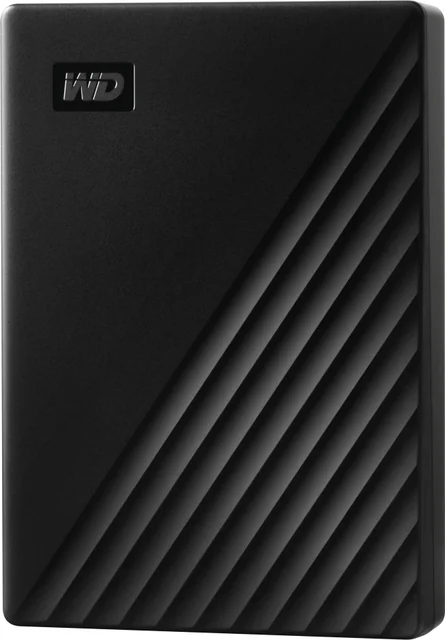
Western Digital WD My Passport (USB-C)
Buy itThe best all-round portable hard drive, pairing pocketable capacity with genuinely useful encryption and backup software.
- 256-bit AES hardware encryption with password protection is built in (WD's software for it is listed as Windows only)
- Bundled backup software makes automated, scheduled backups painless
- Compact and light enough to live in a jacket pocket or laptop bag
- Bundled cable plus adapter covers both USB-C and USB-A machines
- Sequential speeds are typical 2.5-inch HDD territory, well short of any SSD
- WD lists no shock or water rating, so it is not meant for rough field use
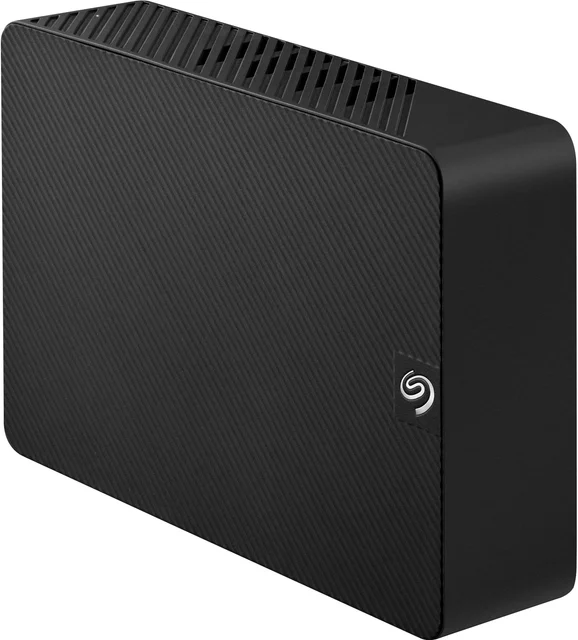
Seagate Expansion Desktop
Buy itThe value champion for bulk storage, delivering the lowest cost per terabyte and desktop-class speeds.
- Lowest cost per terabyte of any drive here, with capacities scaling far beyond portable models
- 3.5-inch mechanism sustains noticeably faster sequential transfers than pocket drives
- Simple drag-and-drop setup that any operating system recognizes quickly
- Rescue data-recovery service is included (Seagate notes it is not available in all countries)
- Needs a mains power adapter, so it is a desk fixture rather than a travel companion
- No hardware encryption; USB-A only means an adapter for USB-C-only laptops
Side by side
The 7 criteria below are the ones our full comparison judged every product on, narrowed to these two.
| Western Digital WD My Passport (USB-C) Our pick | Seagate Expansion Desktop | |
|---|---|---|
| Our verdict | Buy | Buy |
| Best for | Anyone who wants a single pocket drive for backups and file transfer and values built-in encryption. | Home and office users backing up or archiving large libraries where capacity per dollar matters most. |
| Price tier | $$ · mid-range | $$ · mid-range |
| Form factor | Portable 2.5-inch | Desktop 3.5-inch |
| Best use | Everyday backup and transfer | Bulk archive and backup |
| Relative speed | Typical HDD | Faster (desktop-class) |
| Encryption / software | Hardware AES-256 + backup software | None bundled |
| Durability | Standard enclosure | Standard desktop enclosure |
| Connector | USB-C + USB-A | USB-A (needs power) |
| Cost per terabyte | Moderate | Lowest |
Which one is right for you?
Pick the Western Digital WD My Passport (USB-C) if
anyone who wants a single pocket drive for backups and file transfer and values built-in encryption.
Know before buying: sequential speeds are typical 2.5-inch HDD territory, well short of any SSD.
Pick the Seagate Expansion Desktop if
home and office users backing up or archiving large libraries where capacity per dollar matters most.
Know before buying: needs a mains power adapter, so it is a desk fixture rather than a travel companion.
The bottom line
Our overall pick is the Western Digital WD My Passport (USB-C) - The best all-round portable hard drive, pairing pocketable capacity with genuinely useful encryption and backup software. Choose the Seagate Expansion Desktop instead if home and office users backing up or archiving large libraries where capacity per dollar matters most.
Want the full picture, including the other options we compared and the popular one we'd skip? Read the complete The Best External Hard Drives: 4 Compared (and One to Skip).