

Office & WFH · Head-to-head
TESmart HKS202-M24 Dual Monitor KVM Switch vs Level1Techs DisplayPort 1.4 KVM Switch (Dual Monitor, Four Computer)
Which should you buy? Our verdict on both, pulled from our full The Best KVM Switches for Multi-Computer Desks: 4 Compared (and One to Skip) comparison.
The TESmart HKS202-M24 gives most two-desktop desks true dual 4K 144Hz switching with reliable EDID at a mid-range price. Step up to the Level1Techs DisplayPort KVM when you run three or four machines or demand flawless high-refresh switching.
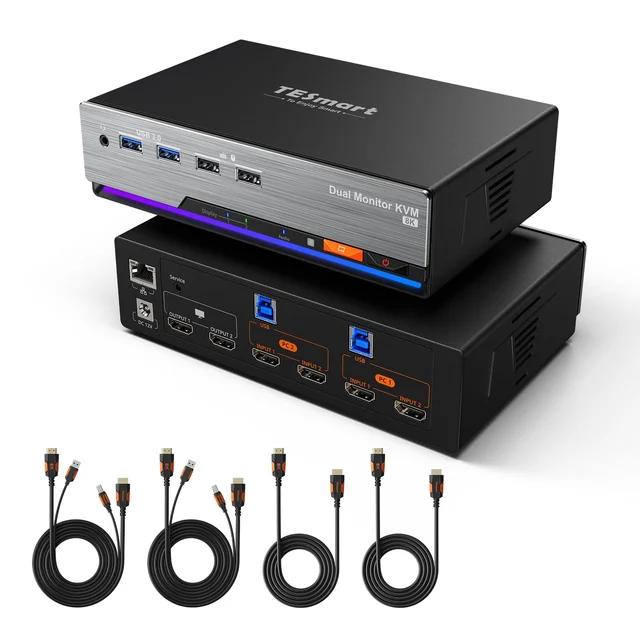
TESmart HKS202-M24 Dual Monitor KVM Switch
Buy itDual 4K 144Hz HDMI 2.1 switching for two desktops, with the EDID smarts that cheap boxes lack.
- True dual-monitor HDMI 2.1 up to 4K 144Hz with VRR and HDR
- Dedicated EDID chip keeps windows and displays stable on switch
- Fast switching via button, keyboard hotkeys, or wired desk remote
- Only two computers supported
- Peripheral USB ports are USB 2.0 speed
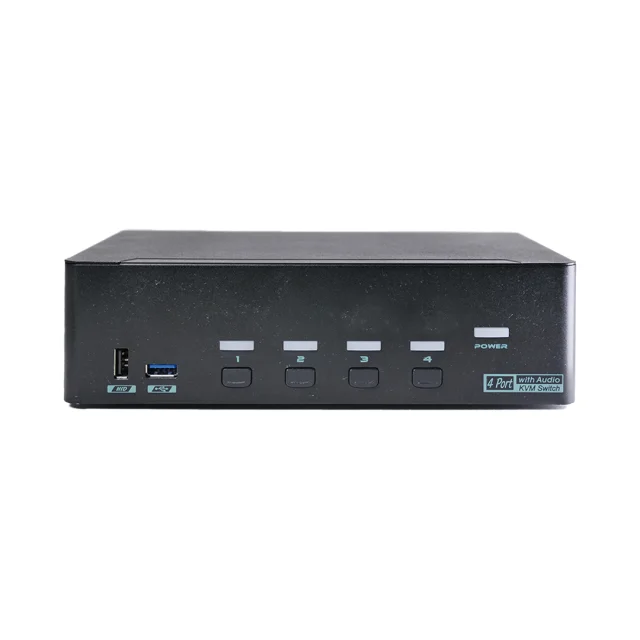
Level1Techs DisplayPort 1.4 KVM Switch (Dual Monitor, Four Computer)
Buy itThe reliability benchmark: rock-solid EDID, high-refresh DisplayPort, and up to four machines.
- Handles up to four computers on two DisplayPort 1.4 displays
- Robust EDID emulation stops window reshuffling between machines
- Fast USB 3.2 hub, serial automation, and strong maker support
- Flagship price is overkill for a simple two-PC setup
- DisplayPort-only inputs mean HDMI gear needs adapters
Side by side
| TESmart HKS202-M24 Dual Monitor KVM Switch | Level1Techs DisplayPort 1.4 KVM Switch (Dual Monitor, Four Computer) | |
|---|---|---|
| Our verdict | Buy | Buy |
| Best for | Two-desktop desks running dual HDMI monitors for both gaming and work. | Power users juggling three or four machines who want zero switching glitches. |
| Price tier | $$ · mid-range | $$$$ · flagship |
The bottom line
Our overall pick is the TESmart HKS202-M24 Dual Monitor KVM Switch - Dual 4K 144Hz HDMI 2.1 switching for two desktops, with the EDID smarts that cheap boxes lack. Choose the Level1Techs DisplayPort 1.4 KVM Switch (Dual Monitor, Four Computer) instead if power users juggling three or four machines who want zero switching glitches.
Want the full picture, including the other options we compared and the popular one we'd skip? Read the complete The Best KVM Switches for Multi-Computer Desks: 4 Compared (and One to Skip).