

Tech & Gadgets · Head-to-head
Sabrent USB4 M.2 PCIe NVMe SSD Enclosure vs Acasis 40Gbps M.2 NVMe SSD Enclosure with Cooling Fan
Which should you buy? Our verdict on both, pulled from our full The Best SSD Enclosures: 4 Compared (and One to Skip) comparison.
Sabrent is the only maker here that publishes a transfer rate for each protocol you might plug it into, which is the difference between a specification and a headline. Acasis names its controller chip, states a thermal target and supports drives up to 8TB.
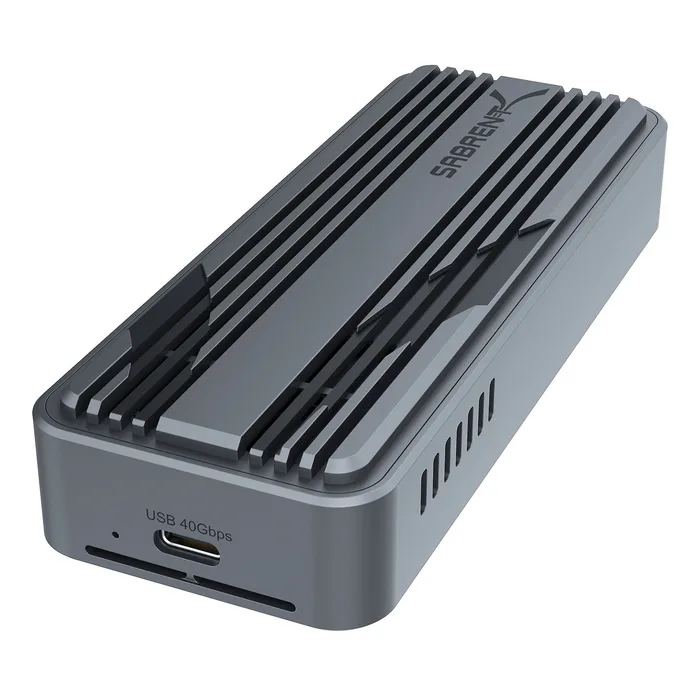
Sabrent USB4 M.2 PCIe NVMe SSD Enclosure
Buy itThree published transfer rates for three protocols, plus a fan and every drive size.
- Transfer speeds published for each connection: up to 3,900 MB/s on USB4, 2,700 MB/s on Thunderbolt and 1,000 MB/s on USB 3.2, which no other maker here does.
- Up to 40Gbps with backward compatibility spelled out for USB 3.2 Gen 2x1 at 10Gbps and Gen 1x1 at 5Gbps, so you know what you get on an older machine.
- Accepts 2230, 2242, 2260 and 2280 drives, in an aluminium casing built for maximum heat dissipation with an integrated cooling fan, plug and play, bus-powered and tool-free.
- Sabrent does not name the controller chip, where Acasis does.
- No dimensions or weight are published.
- No warranty terms appear on the product page.
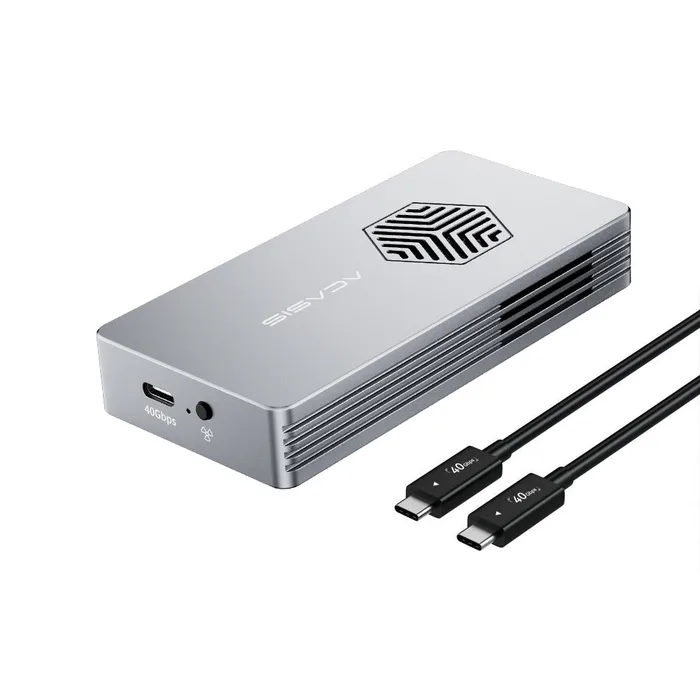
Acasis 40Gbps M.2 NVMe SSD Enclosure with Cooling Fan
Buy itThe only one that names its controller, states a temperature target and takes 8TB.
- Built on a named Intel JHL7440 40Gbps controller, which is the only chip identified by any maker in this comparison and the thing that actually determines compatibility and speed.
- A built-in cooling fan, side heat dissipation slots and a thermal pad, which Acasis says keep the drive below 35 degrees Celsius even during extended use, plus S.M.A.R.T. support for drive health reporting.
- Supports up to 8TB across 2280, 2260, 2242 and 2230 in both M-key and B+M key, and states clearly that a drive with a pre-fitted heatsink will not fit because of thickness.
- The published speed test data comes from Acasis's own laboratory, and Acasis notes that real speeds vary with the SSD, file format and operating system.
- No transfer rate in MB/s is given for anything other than its own test conditions.
- No dimensions, weight or warranty terms are published.
Side by side
| Sabrent USB4 M.2 PCIe NVMe SSD Enclosure | Acasis 40Gbps M.2 NVMe SSD Enclosure with Cooling Fan | |
|---|---|---|
| Our verdict | Buy | Buy |
| Best for | Anyone who wants to know what the enclosure will actually do on the port they own. | Large drives and long transfers, where thermal throttling is the thing that actually costs you time. |
| Price tier | $$ · mid-range | $$ · mid-range |
The bottom line
Our overall pick is the Sabrent USB4 M.2 PCIe NVMe SSD Enclosure - Three published transfer rates for three protocols, plus a fan and every drive size. Choose the Acasis 40Gbps M.2 NVMe SSD Enclosure with Cooling Fan instead if large drives and long transfers, where thermal throttling is the thing that actually costs you time.
Want the full picture, including the other options we compared and the popular one we'd skip? Read the complete The Best SSD Enclosures: 4 Compared (and One to Skip).