

Office & WFH · Head-to-head
Logitech Spotlight Presentation Remote vs Logitech R500s Laser Presentation Remote
Which should you buy? Our verdict on both, pulled from our full The Best Wireless Presenters: 4 Compared (and One to Skip) comparison.
The Spotlight is the most capable presenter here because its on-screen digital pointer works everywhere a laser can't — projectors, TVs, and video calls. If you don't need those effects, the R500s delivers the same dependable dual-connectivity core for noticeably less.
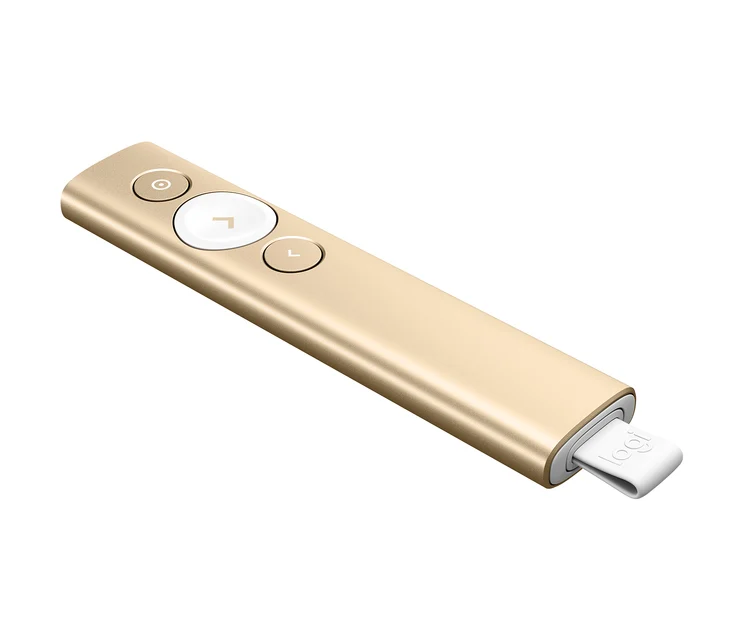
Logitech Spotlight Presentation Remote
Buy itThe only one here whose on-screen highlight works on a TV, a projector, or a video call where a laser dot would be invisible.
- On-screen digital pointer highlights, magnifies, and spotlights anything — and shows up on screen shares and TVs where a physical laser can't
- Dual connectivity: Bluetooth or the bundled USB receiver, with roughly 30 m / 100 ft of usable range
- USB-C rechargeable with about three months per charge, and a one-minute quick charge is enough for a whole talk
- Companion app adds timer, vibration cues, and on-screen cursor control across Windows, macOS, iOS, and Android
- Clearly the priciest option, and overkill if you only ever click through slides in the same small room
- The digital effects lean on the app being installed, so a locked-down borrowed laptop reduces it to a basic clicker
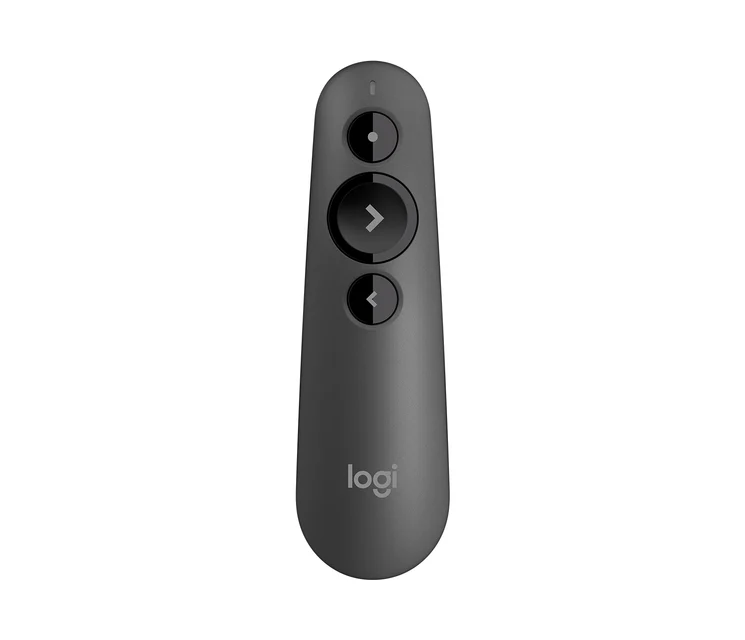
Logitech R500s Laser Presentation Remote
Buy itThe default sensible pick — dual connectivity, a full year on one AAA, and controls you can find without looking.
- Connects over Bluetooth or the bundled USB receiver, so it works whether or not you have a free port
- Single AAA battery lasts up to about 12 months, and there's no charging cable to forget
- Slim, intuitive button layout that owners say is easy to operate by feel mid-sentence
- Broad support across Windows, macOS, iOS, and Android with common slide apps
- Physical red laser can be hard to see on bright screens and doesn't appear on video calls or shared displays
- Roughly 20 m / 65 ft range is fine for meeting rooms but tighter than large-hall options
Side by side
| Logitech Spotlight Presentation Remote | Logitech R500s Laser Presentation Remote | |
|---|---|---|
| Our verdict | Buy | Buy |
| Best for | Frequent presenters, trainers, and anyone who presents to TVs, projectors, or remote/hybrid audiences. | Most people — office presenters and students who want a reliable, no-fuss clicker without paying for digital effects. |
| Price tier | $$$ · premium | $$ · mid-range |
The bottom line
Our overall pick is the Logitech Spotlight Presentation Remote - The only one here whose on-screen highlight works on a TV, a projector, or a video call where a laser dot would be invisible. Choose the Logitech R500s Laser Presentation Remote instead if most people — office presenters and students who want a reliable, no-fuss clicker without paying for digital effects.
Want the full picture, including the other options we compared and the popular one we'd skip? Read the complete The Best Wireless Presenters: 4 Compared (and One to Skip).