

Tech & Gadgets · Head-to-head
CalDigit TS5 Plus Thunderbolt 5 Dock vs OWC 11-Port Thunderbolt 5 Dock (OWCTB5DOCK11P)
Which should you buy? Our verdict on both, pulled from our full The Best Thunderbolt Docks: 4 Compared (and One to Skip) comparison.
The TS5 Plus is the rare dock that spends its bandwidth and power budget where the bottlenecks actually are, with 10 Gigabit Ethernet, dual USB hubs and three 36W accessory ports on top of 140W to the host. The OWC does the important things for less, gives you three usable downstream Thunderbolt 5 ports, and spells out that the host, not the dock, decides how many displays you get.
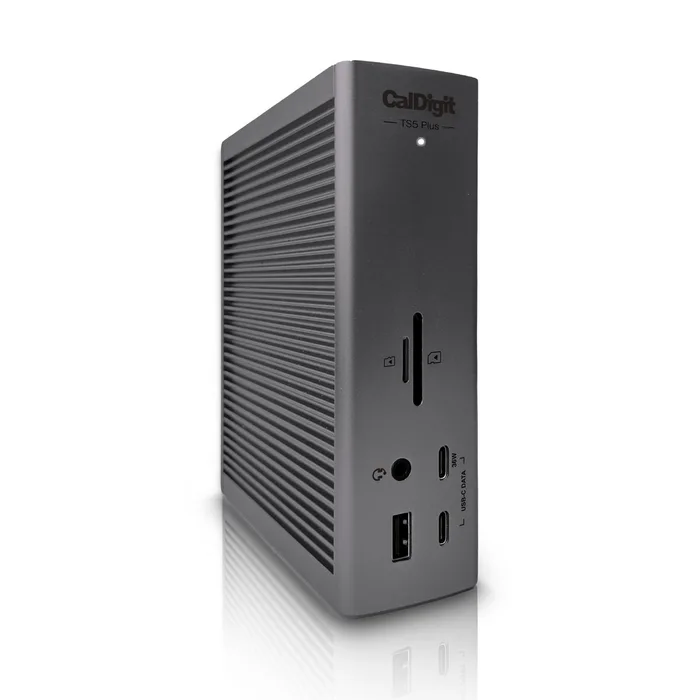
CalDigit TS5 Plus Thunderbolt 5 Dock
Buy itTwenty ports with the internal bottlenecks widened rather than papered over.
- Two separate USB 3.2 10G hubs instead of one shared hub, so heavy USB devices are less likely to fight each other.
- 10 Gigabit Ethernet with NBASE-T and AVB support, which is uncommon on docks.
- Three 36W fast-charge ports on top of up to 140W for the host, backed by a 330W supply.
- It is the most expensive way to solve the problem, and the 330W brick is large.
- The dual 8K 60Hz and triple 4K 144Hz claims depend entirely on what your computer can drive, not on the dock.
- The dual USB hub advantage depends on how your host handles the link, so check CalDigit's host compatibility notes.
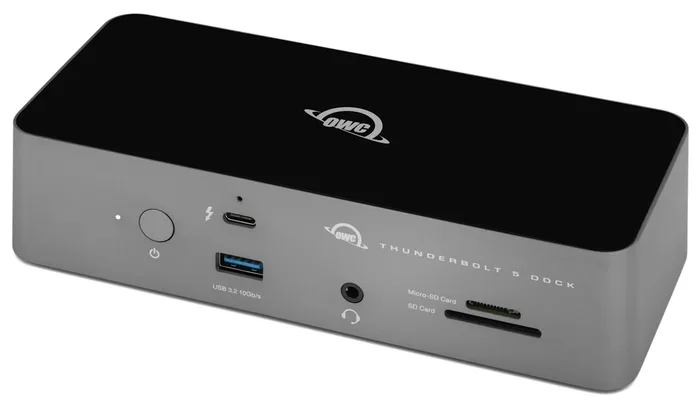
OWC 11-Port Thunderbolt 5 Dock (OWCTB5DOCK11P)
Buy itThe sane amount of dock for most desks, and unusually straight about the fact that your laptop sets the display limit.
- Three downstream Thunderbolt 5 ports at 15W each, so you can run three separate daisy chains and unplug one without disturbing the others.
- SD 4.0 and microSD 4.0 slots are both UHS-II, which OWC rates at up to 156MB/s full duplex or 312MB/s half duplex.
- OWC states the display limits plainly, including that Apple currently enables two native displays per Mac Thunderbolt host port and that DSC is required for 6K and 8K.
- 2.5GbE Ethernet rather than 10 Gigabit.
- Only three USB-A ports, and one of them runs at 5Gb/s rather than 10Gb/s.
- No on-board HDMI or DisplayPort, so monitors connect through the Thunderbolt ports or an adapter.
Side by side
| CalDigit TS5 Plus Thunderbolt 5 Dock | OWC 11-Port Thunderbolt 5 Dock (OWCTB5DOCK11P) | |
|---|---|---|
| Our verdict | Buy | Buy |
| Best for | Someone building a permanent single-cable desk who wants Ethernet, storage and charging to all work at once without visibly slowing each other. | The person who wants three real Thunderbolt 5 ports and a proper card reader without paying for 10 Gigabit Ethernet they have nowhere to plug in. |
| Price tier | $$$ · premium | $$ · mid-range |
The bottom line
Our overall pick is the CalDigit TS5 Plus Thunderbolt 5 Dock - Twenty ports with the internal bottlenecks widened rather than papered over. Choose the OWC 11-Port Thunderbolt 5 Dock (OWCTB5DOCK11P) instead if the person who wants three real Thunderbolt 5 ports and a proper card reader without paying for 10 Gigabit Ethernet they have nowhere to plug in.
Want the full picture, including the other options we compared and the popular one we'd skip? Read the complete The Best Thunderbolt Docks: 4 Compared (and One to Skip).