

Tech & Gadgets · Head-to-head
XP-Pen Deco 01 V3 vs Wacom Intuos (Small)
Which should you buy? Our verdict on both, pulled from our full The Best Graphics Tablets: 4 Compared (and One to Skip) comparison.
The XP-Pen Deco 01 V3 delivers the most drawing area, pressure levels, and keys for the least money, making it the smartest first tablet for most people. The Wacom Intuos is the pick if you would rather pay more for the steadiest drivers and the most natural pen feel.
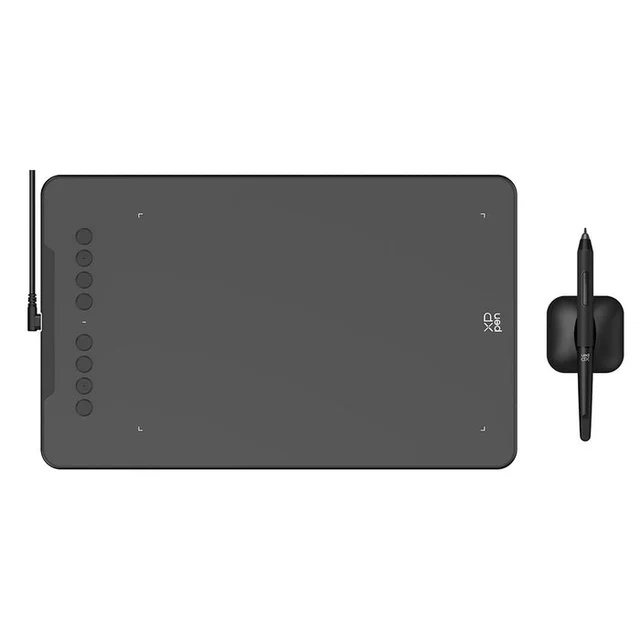
XP-Pen Deco 01 V3
Buy itA big, feature-loaded screenless tablet at a price that makes rivals look overpriced.
- Generous 10 x 6.25-inch active area gives your arm room to move
- Battery-free pen with 16,384 pressure levels and 60-degree tilt
- Eight customizable express keys and broad OS support (Windows, macOS, Android, Chrome OS, Linux)
- Driver setup can need a little fiddling on first install per owner reports
- Pen tracking on fast diagonals is a hair behind Wacom per owner reports
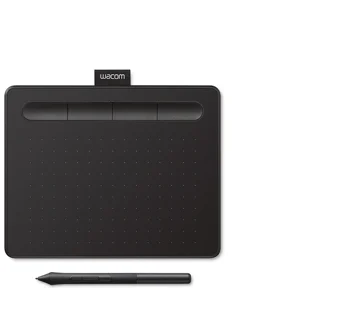
Wacom Intuos (Small)
Buy itThe safest first tablet: the most polished pen feel and the steadiest drivers in the category.
- Reviewers consistently rate Wacom's pen tracking and pressure transitions as the most natural
- Drivers are the most stable in the class, with the fewest conflicts in creative apps
- Compact, well-built, with four express keys and optional Bluetooth on select models
- Only 4,096 pressure levels and the standard pen has no tilt support
- Small active area and fewer features than cheaper competitors
Side by side
The 7 criteria below are the ones our full comparison judged every product on, narrowed to these two.
| XP-Pen Deco 01 V3 Our pick | Wacom Intuos (Small) | |
|---|---|---|
| Our verdict | Buy | Buy |
| Best for | Beginners and budget-conscious hobbyists who want the most drawing area and features per dollar. | Beginners who value reliability and pen feel over raw specs, and anyone burned by flaky drivers before. |
| Price tier | $ · budget | $$ · mid-range |
| Type | Screenless pen tablet | Screenless pen tablet |
| Pen pressure levels | 16,384 | 4,096 |
| Tilt support | Yes (60 degrees) | No (standard pen) |
| Controls | 8 express keys | 4 express keys |
| Driver stability (owner reports) | Good, minor setup | Excellent, most stable |
| Drawing surface | Large 10 x 6.25 in pad | Small compact pad |
| Connectivity | USB-C, Android | USB, Bluetooth |
Which one is right for you?
Pick the XP-Pen Deco 01 V3 if
beginners and budget-conscious hobbyists who want the most drawing area and features per dollar.
Know before buying: driver setup can need a little fiddling on first install per owner reports.
Pick the Wacom Intuos (Small) if
beginners who value reliability and pen feel over raw specs, and anyone burned by flaky drivers before.
Know before buying: only 4,096 pressure levels and the standard pen has no tilt support.
The bottom line
Our overall pick is the XP-Pen Deco 01 V3 - A big, feature-loaded screenless tablet at a price that makes rivals look overpriced. Choose the Wacom Intuos (Small) instead if beginners who value reliability and pen feel over raw specs, and anyone burned by flaky drivers before.
Want the full picture, including the other options we compared and the popular one we'd skip? Read the complete The Best Graphics Tablets: 4 Compared (and One to Skip).