

Office & WFH · Head-to-head
Logitech MX Vertical vs Logitech Lift Vertical Ergonomic Mouse
Which should you buy? Our verdict on both, pulled from our full The Best Vertical Mice for Wrist Comfort: 4 Compared (and One to Skip) comparison.
The MX Vertical hits the best balance of a comfortable 57-degree angle, an accurate sensor, and premium build, making it the safe pick for most medium-to-large right hands. The Lift delivers nearly the same comfort for less, in a smaller shell with a left-handed option, and is the better buy for smaller hands and tighter budgets.
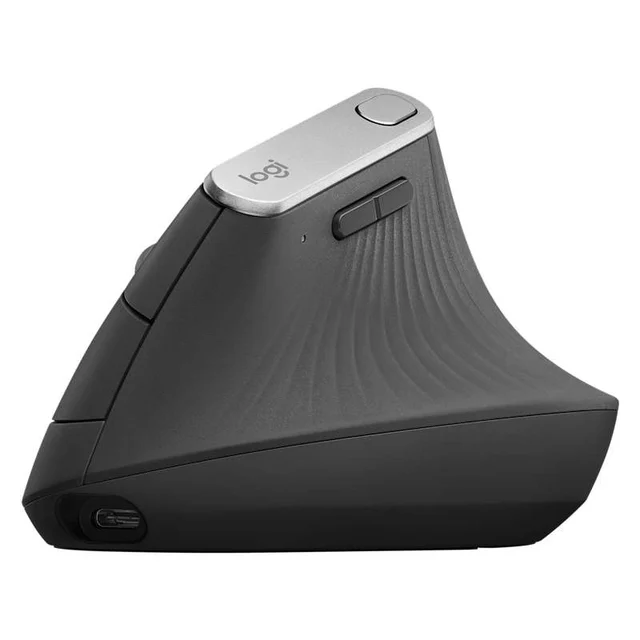
Logitech MX Vertical
Buy itThe all-rounder that gets vertical right - a 57-degree angle, a proper sensor, and premium build without going full medical device.
- 57-degree grip angle that reviewers consistently describe as the sweet spot - noticeably less forearm twist without feeling awkward or tippy
- 4000 DPI sensor and a cursor-speed button, so it tracks accurately and reduces how far your hand has to travel
- Charges over USB-C (a quick top-up gives hours of use), pairs over Bluetooth or the bundled receiver, and can switch between multiple computers
- Textured rubber body that owners say stays grippy and comfortable for full workdays
- One size only, shaped for medium-to-large right hands - small hands and lefties are out of luck
- Premium price, and the recharge-only design means a dead battery briefly tethers you to a cable
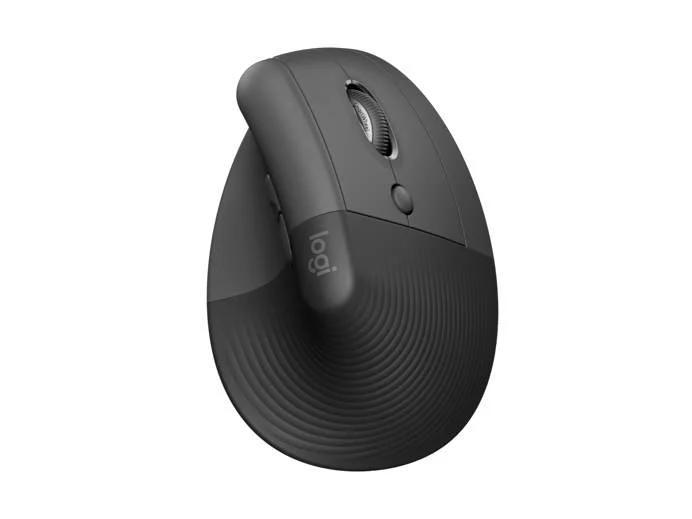
Logitech Lift Vertical Ergonomic Mouse
Buy itThe same 57-degree comfort scaled down for smaller hands, with quiet clicks and a two-year battery - the easiest vertical mouse to live with.
- Same relaxed 57-degree angle as the pricier MX Vertical but in a smaller shell that suits small-to-medium hands
- Comes in dedicated right- and left-handed versions and several colors - the only pick here a left-hander can buy
- Quiet clicks and a single AA battery that owners report lasting up to around two years, so there's nothing to recharge
- Connects over Bluetooth or the bundled receiver and works across multiple devices
- Lighter, more hollow feel than the MX Vertical, and the smaller body cramps genuinely large hands
- No rechargeable cell or wired mode - you're swapping a battery rather than plugging in
Side by side
The 6 criteria below are the ones our full comparison judged every product on, narrowed to these two.
| Logitech MX Vertical Our pick | Logitech Lift Vertical Ergonomic Mouse | |
|---|---|---|
| Our verdict | Buy | Buy |
| Best for | Most people with medium-to-large hands who want one vertical mouse that just works for daily office and creative use. | Small-to-medium hands, left-handers, and anyone who wants near-MX comfort for less money and a quieter click. |
| Price tier | $$$ · premium | $$ · mid-range |
| Grip angle | 57° - relaxed sweet spot | 57° - same relaxed angle |
| Hand size fit | Medium to large, right-hand only | Small to medium; left-hand version too |
| Connectivity | Bluetooth, receiver, USB-C wired | Bluetooth or receiver |
| Power | Rechargeable USB-C | 1x AA, up to ~2 years |
| Software & buttons | Options+, multi-device, cursor-speed key | Options+, 6 custom buttons |
| Build & sensor | Premium grippy build, precise sensor | Solid but lighter; quiet clicks |
Which one is right for you?
Pick the Logitech MX Vertical if
most people with medium-to-large hands who want one vertical mouse that just works for daily office and creative use.
Know before buying: one size only, shaped for medium-to-large right hands - small hands and lefties are out of luck.
Pick the Logitech Lift Vertical Ergonomic Mouse if
small-to-medium hands, left-handers, and anyone who wants near-MX comfort for less money and a quieter click.
Know before buying: lighter, more hollow feel than the MX Vertical, and the smaller body cramps genuinely large hands.
The bottom line
Our overall pick is the Logitech MX Vertical - The all-rounder that gets vertical right - a 57-degree angle, a proper sensor, and premium build without going full medical device. Choose the Logitech Lift Vertical Ergonomic Mouse instead if small-to-medium hands, left-handers, and anyone who wants near-MX comfort for less money and a quieter click.
Want the full picture, including the other options we compared and the popular one we'd skip? Read the complete The Best Vertical Mice for Wrist Comfort: 4 Compared (and One to Skip).