

Office & WFH · Head-to-head
Logitech Brio 500 vs Anker PowerConf C200
Which should you buy? Our verdict on both, pulled from our full The Best Webcams for Working From Home (and One to Skip) comparison.
For most people working from home, the Logitech Brio 500 is the safe buy: it auto-corrects messy home lighting, has mics good enough to leave the headset in the drawer, and adds a privacy shutter - all at a fair price. Watching the budget? The Anker PowerConf C200 delivers surprisingly sharp 2K and adjustable framing for around half the money. Want the best-looking image and already own a mic? The Elgato Facecam MK.2 is worth the stretch. The Logitech StreamCam is the one to skip for work - it's a capable streaming camera, but for pure video calls it costs more than the Brio 500 while dropping the privacy shutter and auto light correction that WFH actually relies on.
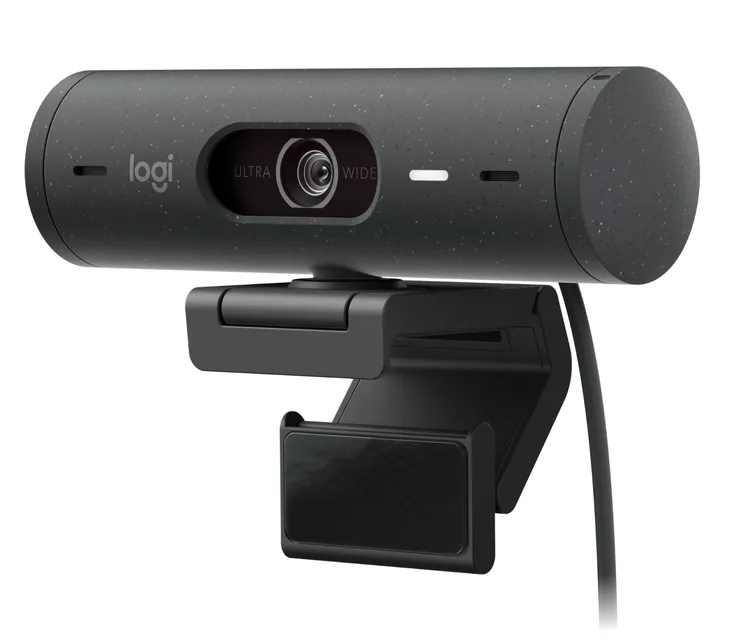
Logitech Brio 500
Buy itThe no-drama pick for meetings - it fixes bad home lighting on its own and just works.
- AI auto light correction reliably rescues dim or backlit rooms
- Dual noise-reducing mics are clear enough to skip a headset
- Built-in privacy shutter and handy Show Mode for documents
- Caps at 1080p/30 - fine for calls, not for content creation
- HDR can look a touch flat next to pricier cameras
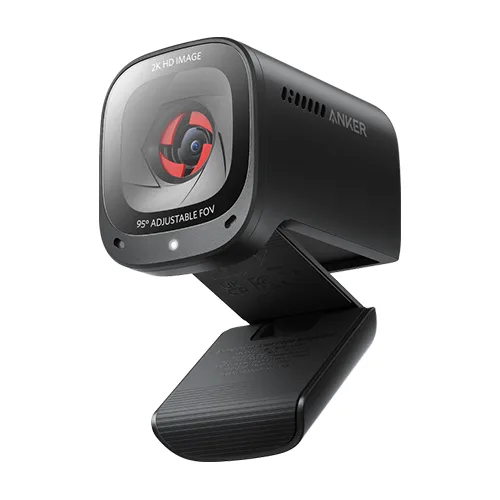
Anker PowerConf C200
Buy itThe value champ - 2K sharpness, adjustable framing and solid mics for budget money.
- Sharp, well-exposed 2K image that reviewers rate well above its price
- Selectable field of view (65/78/95°) plus AI noise-cancelling dual mics
- Physical privacy cover and a compact, travel-friendly body
- No HDR listed, so harsh window backlight is harder than on the Brio
- 2K tops out at 30fps, and the 95° setting shows some edge distortion
Side by side
The 5 criteria below are the ones our full comparison judged every product on, narrowed to these two.
| Logitech Brio 500 Our pick | Anker PowerConf C200 | |
|---|---|---|
| Our verdict | Buy | Buy |
| Best for | Most remote workers who just want to look good on calls with zero tweaking. | Anyone who wants a good call camera without spending much. |
| Price tier | $$ · mid-range | $ · budget |
| Resolution / frame rate | 1080p / 30fps | 2K / 30fps |
| Low-light handling | Auto light correction (HDR) | Good, larger aperture |
| Built-in microphone | Dual, noise-reducing | Dual, AI noise-cancel |
| Privacy shutter | Yes | Yes (slide cover) |
| Field of view | 90° (adjustable 90 / 78 / 65°) | 65 / 78 / 95° selectable |
Which one is right for you?
Pick the Logitech Brio 500 if
most remote workers who just want to look good on calls with zero tweaking.
Know before buying: caps at 1080p/30 - fine for calls, not for content creation.
Pick the Anker PowerConf C200 if
anyone who wants a good call camera without spending much.
Know before buying: no HDR listed, so harsh window backlight is harder than on the Brio.
The bottom line
Our overall pick is the Logitech Brio 500 - The no-drama pick for meetings - it fixes bad home lighting on its own and just works. Choose the Anker PowerConf C200 instead if anyone who wants a good call camera without spending much.
Want the full picture, including the other options we compared and the popular one we'd skip? Read the complete The Best Webcams for Working From Home (and One to Skip).